Managing Search Engine Settings for your Assets
Last updated: June 23, 2026
Mutiny gives you control over how search engines interact with your Asset pages. On an asset-level or account level, you can adjust if search engines can crawl the asset or follow links on assets.
When to Use These Settings
Allow indexing
Allowing search engines to index your asset means the page can appear in search results. This is useful when you want the asset to be discoverable organically, like a landing page or content piece designed to attract traffic.
Allow link follows
Allowing search engines to follow links means crawlers will traverse any links on the page and discover other connected pages. This helps pass SEO value (sometimes called "link equity") from that asset to other pages on your site. If your asset links to important pages like a pricing page or product overview, enabling this setting helps search engines find and rank those pages too.
Disallow indexing or link following
On the flip side, you might want to disable both settings for assets that are personalized experiences, gated content, or internal campaign pages that shouldn't show up in search results. Disabling link following on those pages also prevents crawlers from indexing downstream pages that are only meant for specific audiences.
Configuring Settings Across All Assets
If you want all your Mutiny-hosted assets to share the same SEO settings, navigate to the Page Settings section and look for the Search Engine Settings
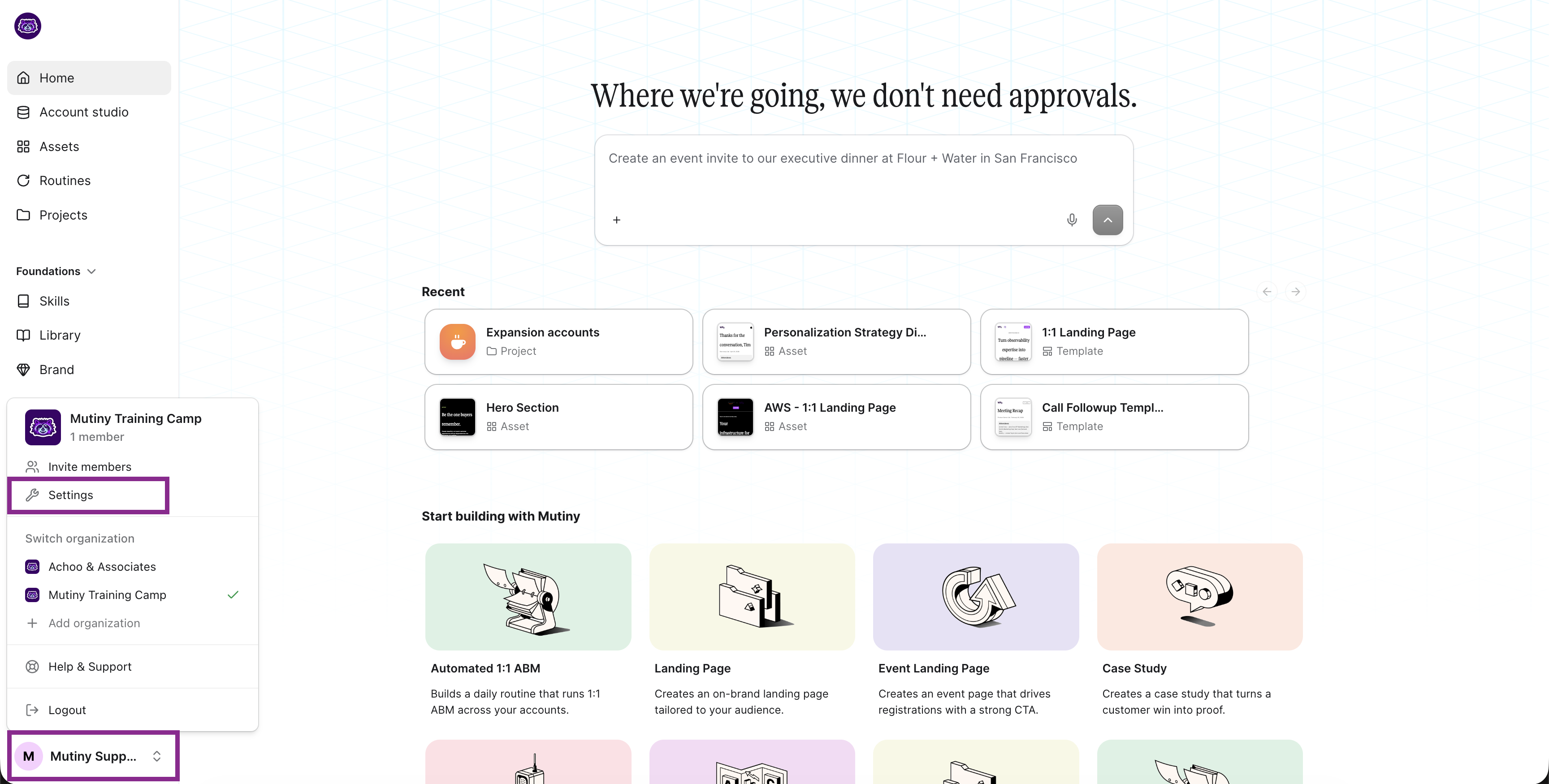
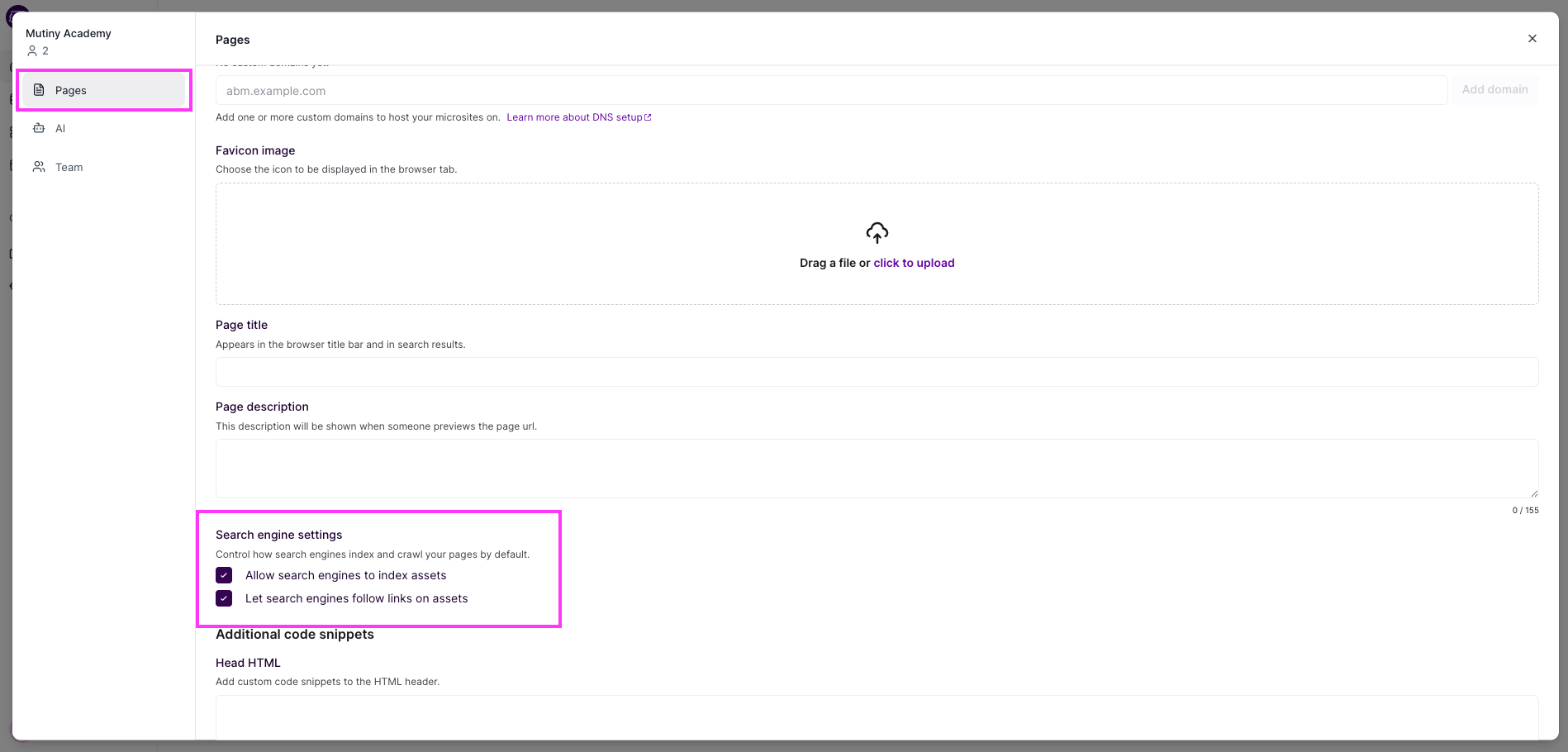
You will see two checkboxes. The first allows search engines to index the page, making pages indexable. The second lets search engines follow links on the page.
Configuring Settings for a Single Asset
Open the asset you want to configure and select Publish, and then Advanced settings
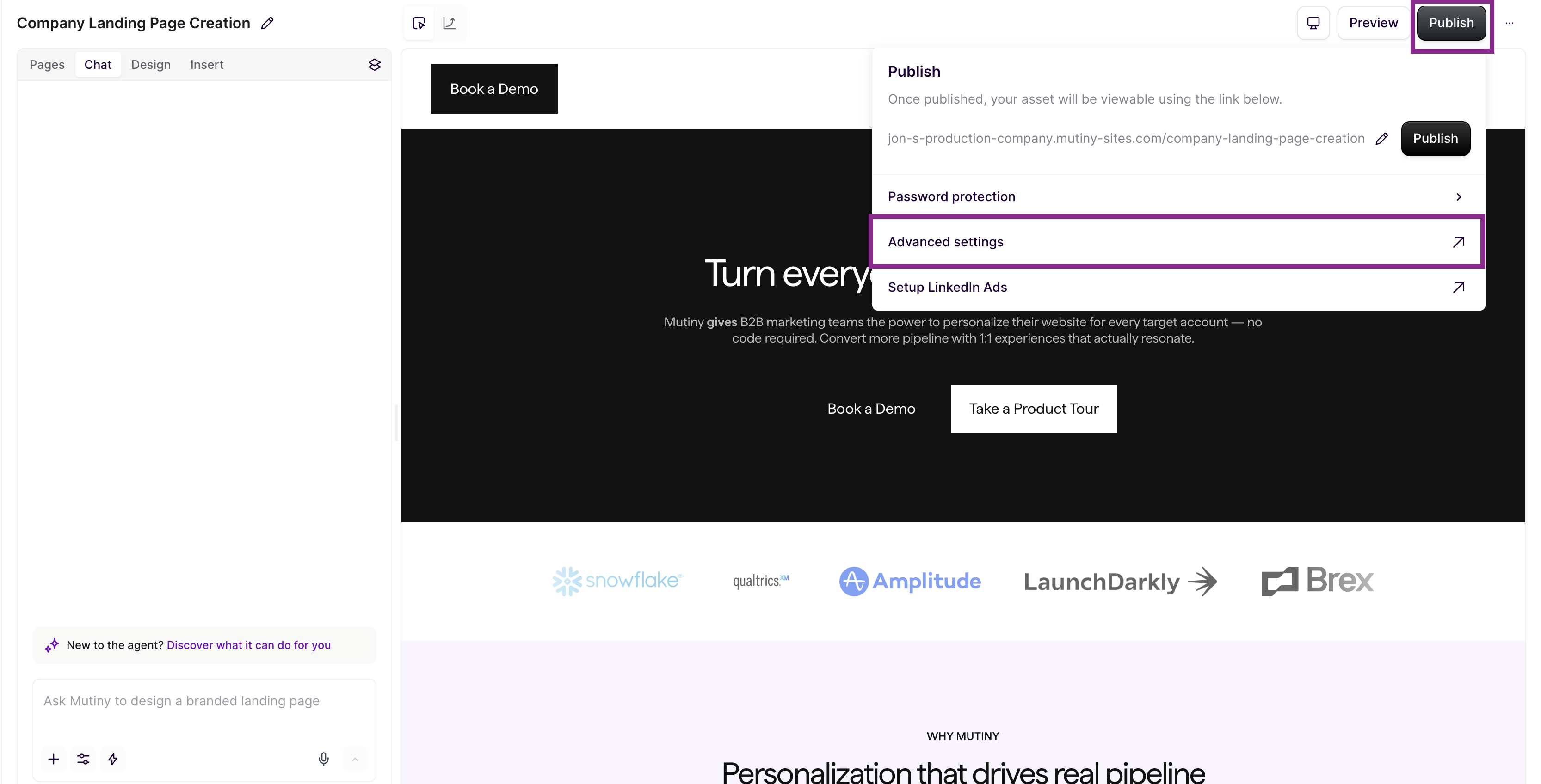
Under the Page Sharing section, look for the Search Engine Settings header.
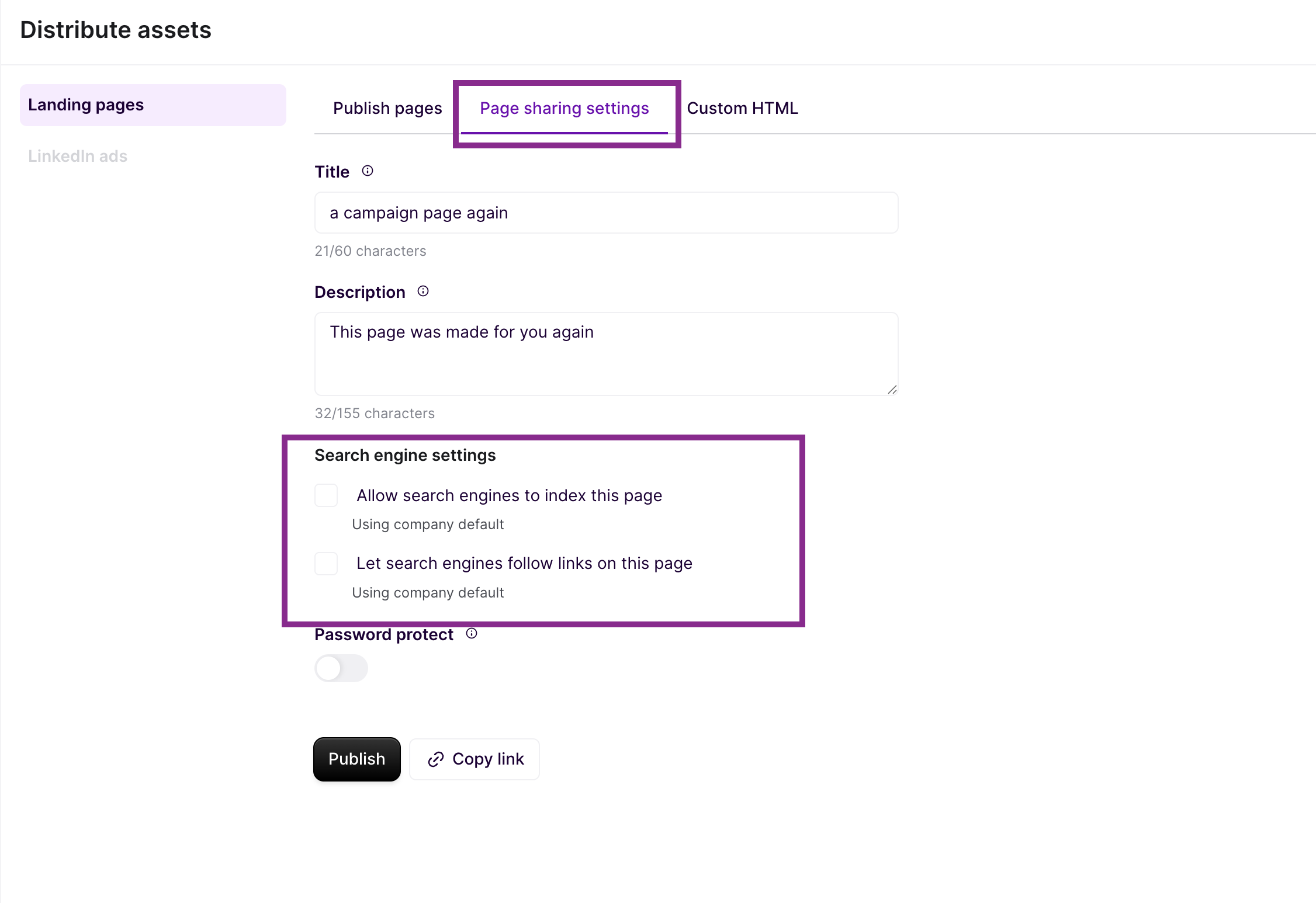
You will see two checkboxes. The first allows search engines to index the page. The second lets search engines follow links on the page.
FAQ
Is page content available in the HTML that crawlers see, or is it JS-dependent?
Mutiny pages are built on clean, semantic HTML. Core page content is rendered in the HTML that search engines and LLM crawlers see — it is not dependent on JavaScript execution to be readable.
Are the links on Mutiny assets crawlable
Yes. All links use standard <a href> tags and are fully crawlable by search engines and LLM crawlers.
What is the default canonical behavior for Mutiny pages?
Every published URL is treated as canonical. Preview URLs and draft states are not indexed. If a page has multiple personalized versions, one version is designated as canonical.
What does a crawler see when it encounters a personalized or dynamic page?
Each personalized page variation has its own unique URL, so crawlers can discover all versions of a page. One version is designated as canonical to avoid duplicate content issues while preserving full discoverability.
Need help?
If you have questions or need help, the Mutiny Support team is here for you! You can submit a support ticket using the Submit a ticket button at the top of this page, or reach us at support@mutinyhq.com.