Automatic Daily Deal Updates
Last updated: July 1, 2026
Mutiny can keep you on top of your pipeline without digging through your CRM. With a routine, the agent checks your CRM for changes to your deals and sends you a rundown every day, so you start each morning knowing exactly what moved.
Connecting your integrations
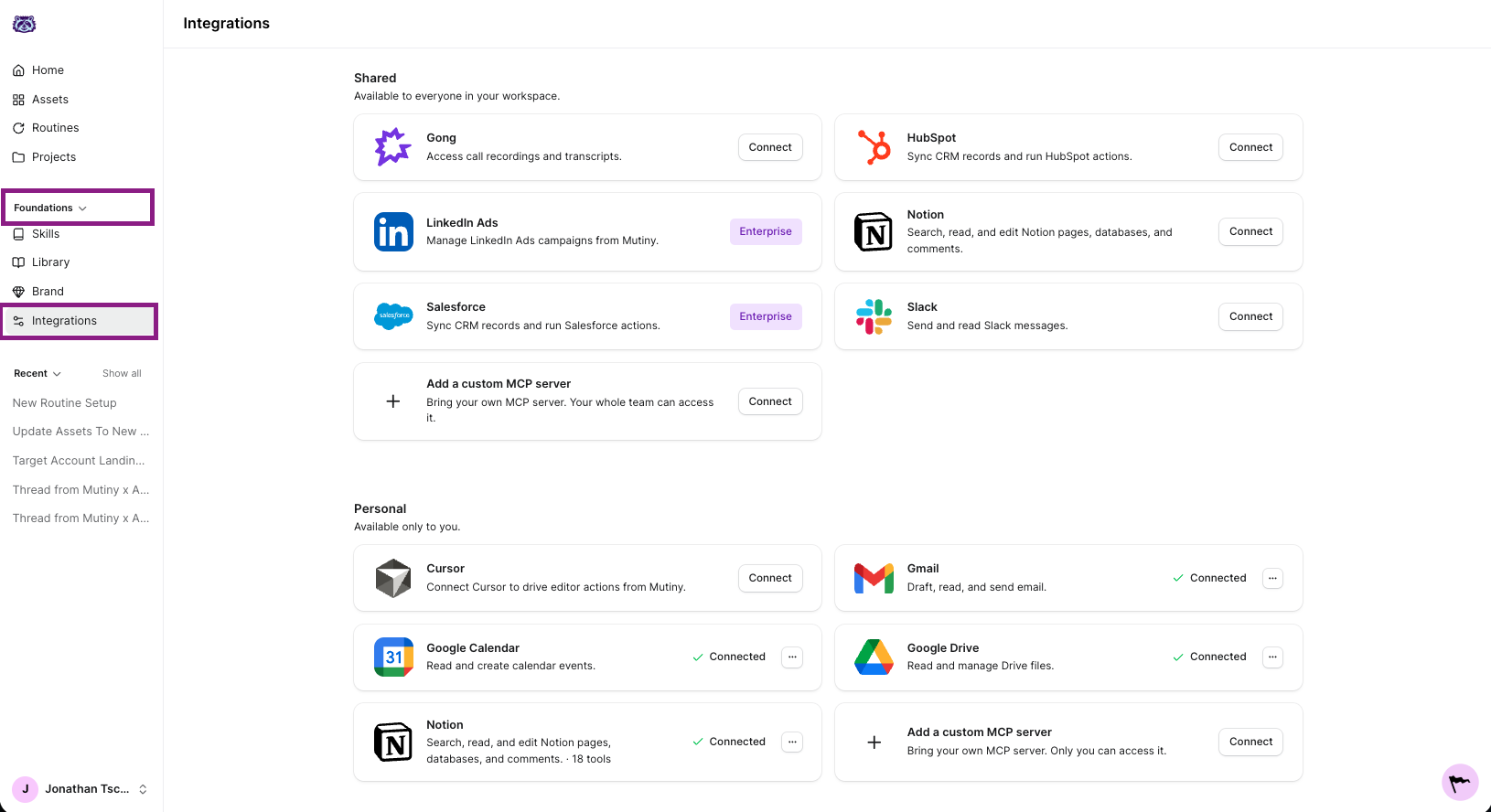
This routine reads from your CRM, so connect HubSpot or Salesforce if you are on Enterprise. If you want the digest saved to a doc, also connect Notion or Google Drive. You can also have the agent email you with these updates, or connect Slack to have the agent send you a DM
You can check your connected tools from the Integrations page:
Creating the routine
Go to Routines in the left nav and click New routine in the top right. This launches a thread where the agent asks a few questions to set up your routine.
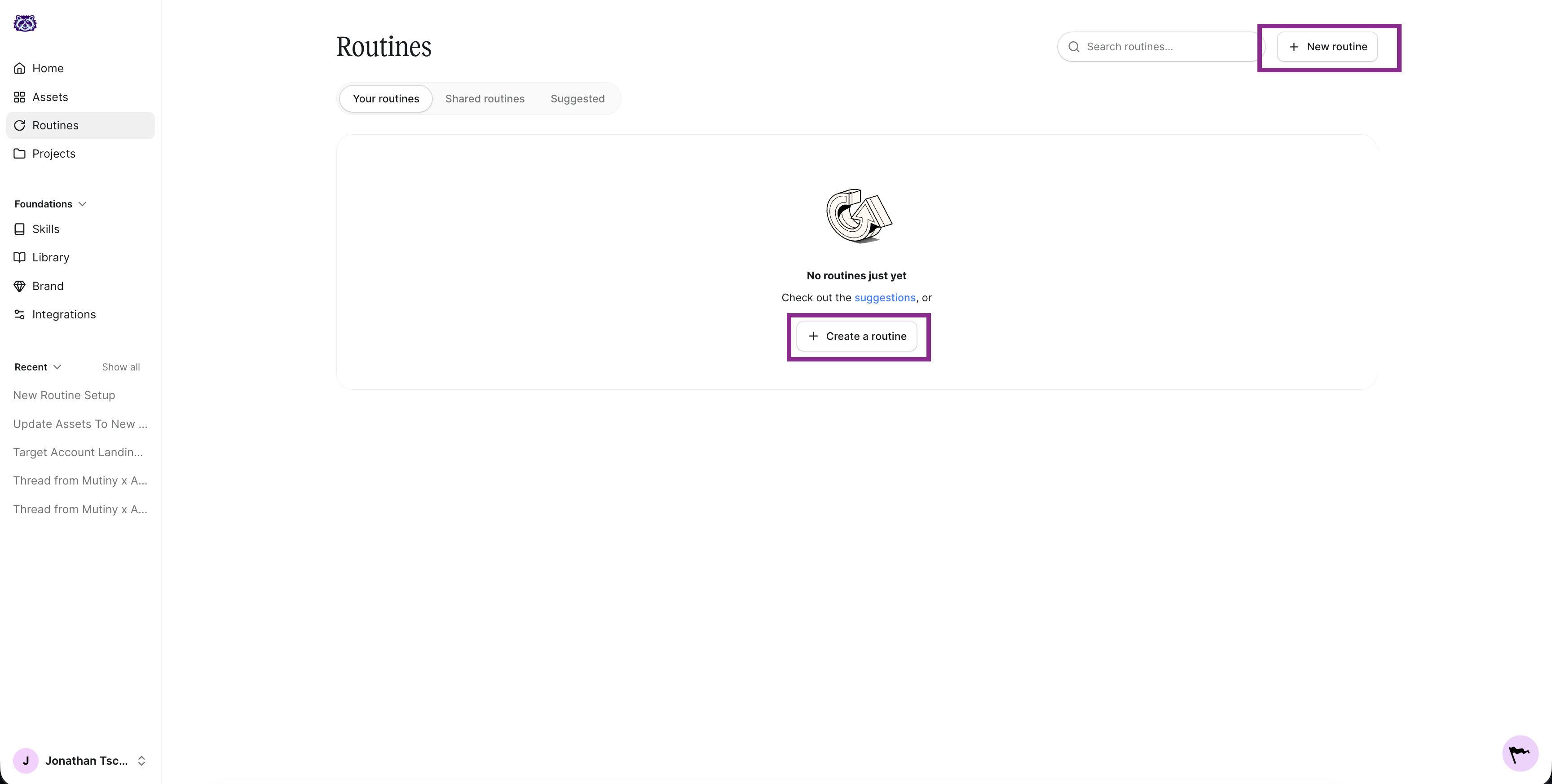
The agent will ask a series of questions about what the routine should do, when it should run, and where the output should go. Below are answers you can use to create this routine.
What should the routine do?
Each morning, check my CRM for any deals that changed stage, moved forward, or stalled, and give me a clear rundown of what changed.
When should it run?
We recommend running this one daily so you catch changes as they happen. If you would rather get a weekly summary, choose every Monday morning instead (or the day of the week that works best for your workflow).
Where should the output go?
Choose an output destination that works best for you. Some examples are:
Have the agent email you
Send you a Slack DM of these updates
Update or create a page in Notion or Google Docs (must connect these integrations)
Enabling tool usage
For the routine to run without a hitch, you need to auto-approve its tools. Click into the routine, then click the wrench icon on the routine card. This is titled Tool usage. Select Auto approve all tools.
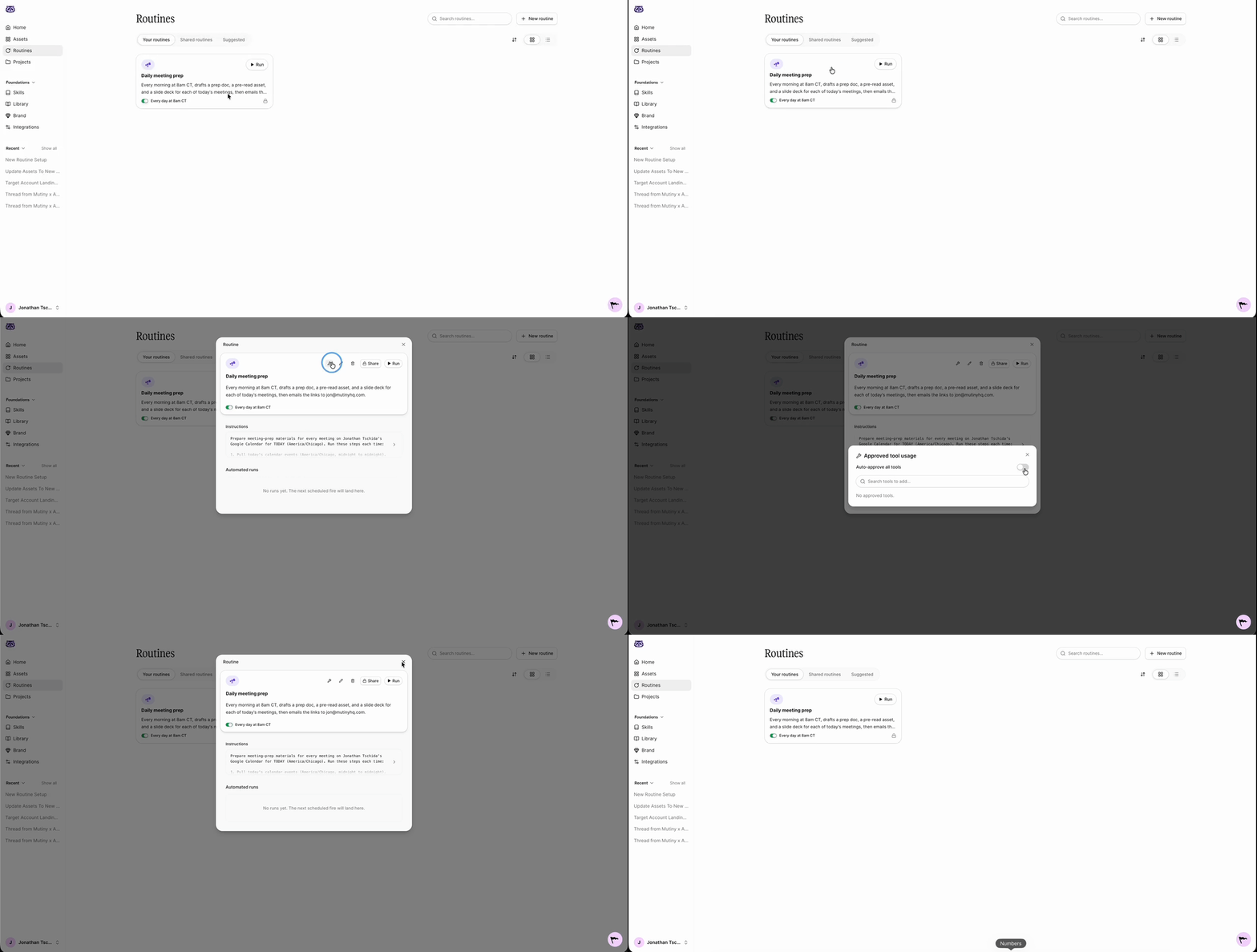
This lets the Mutiny agent make requests to your connected tools, like HubSpot, Salesforce, and Slack, without pausing for approval each time.
Editing and monitoring your routine
Once created, your routine appears on the Routines page and in the thread used to create the routine, along with a summary of what it will do.
When you open the routine, you will see the instructions the agent drafted when you created it. Click into these to edit them at any time, whether the routine is not working the way you expect or you just want to adjust what it does.
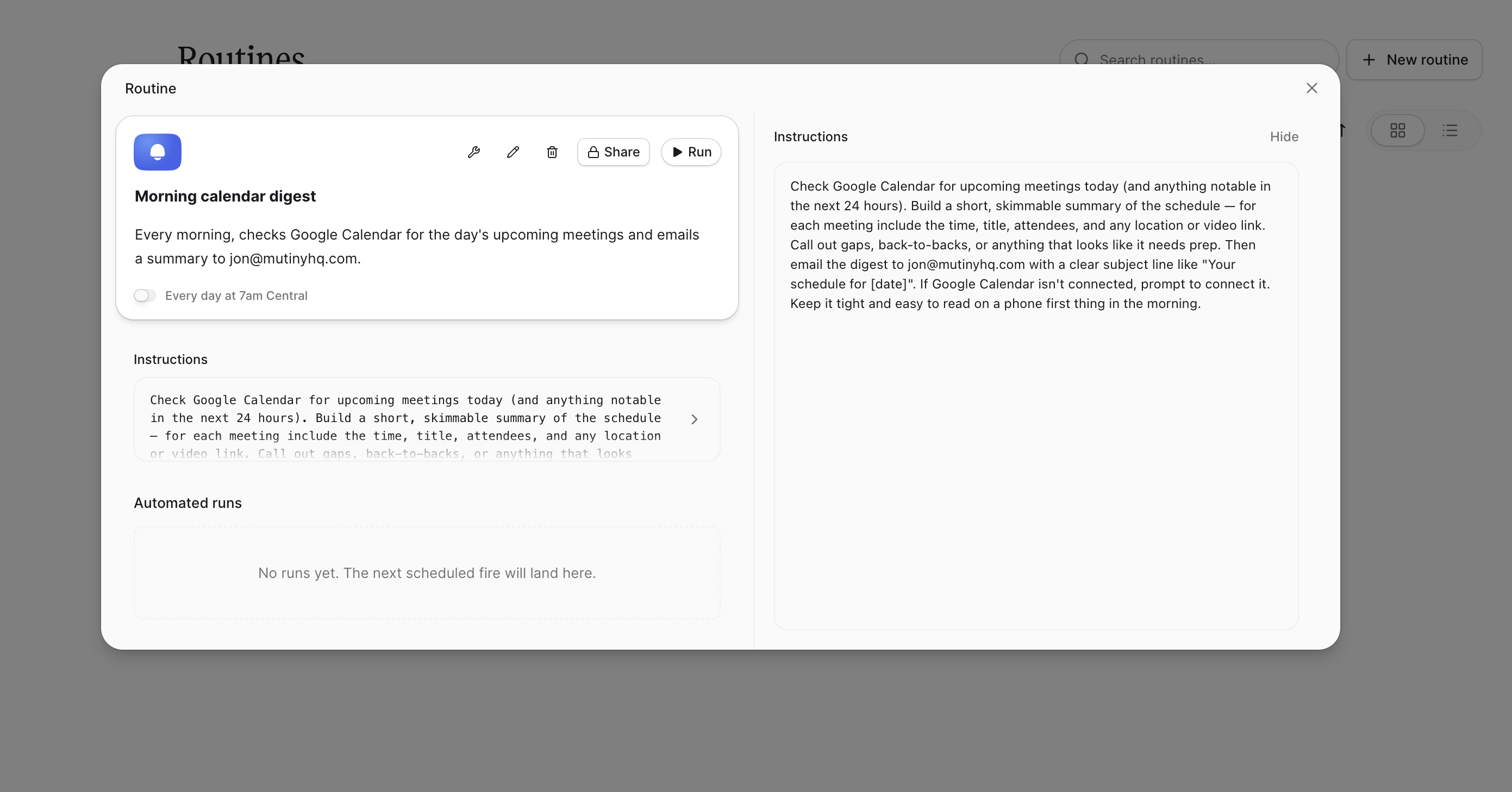
You will also see a log of every run. These populate as the routine runs, so you can check what the agent did and confirm everything is working.
Need Help?
If you have questions or need help, the Mutiny Support team is here for you! You can submit a support ticket using the Submit a ticket button at the top of this page, or reach us at support@mutinyhq.com.