Setting Up Your Custom Subdomain
Last updated: September 9, 2026
By default, every Mutiny asset is hosted on a Mutiny-branded domain. Setting up a custom subdomain lets your assets be served from your own company domain instead, creating a more seamless, on-brand experience for the people visiting them.
This feature is only available on Business plan and above subscription tiers. You can upgrade from the Billing page in the settings.
One important thing to know before getting started: activating a custom subdomain will not break any links to assets you have already published. Those assets will remain available on both the old domain and the new one.
Choosing Your Subdomain
Before touching any settings, decide which subdomain you want to use. It should be completely dedicated to Mutiny and not used for anything else on your website. Because DNS can only route a subdomain to one destination, any conflict with an existing subdomain could cause problems. Something like go.yourcompany.com or discover.yourcompany.com works well.
Adding your Subdomain to Mutiny
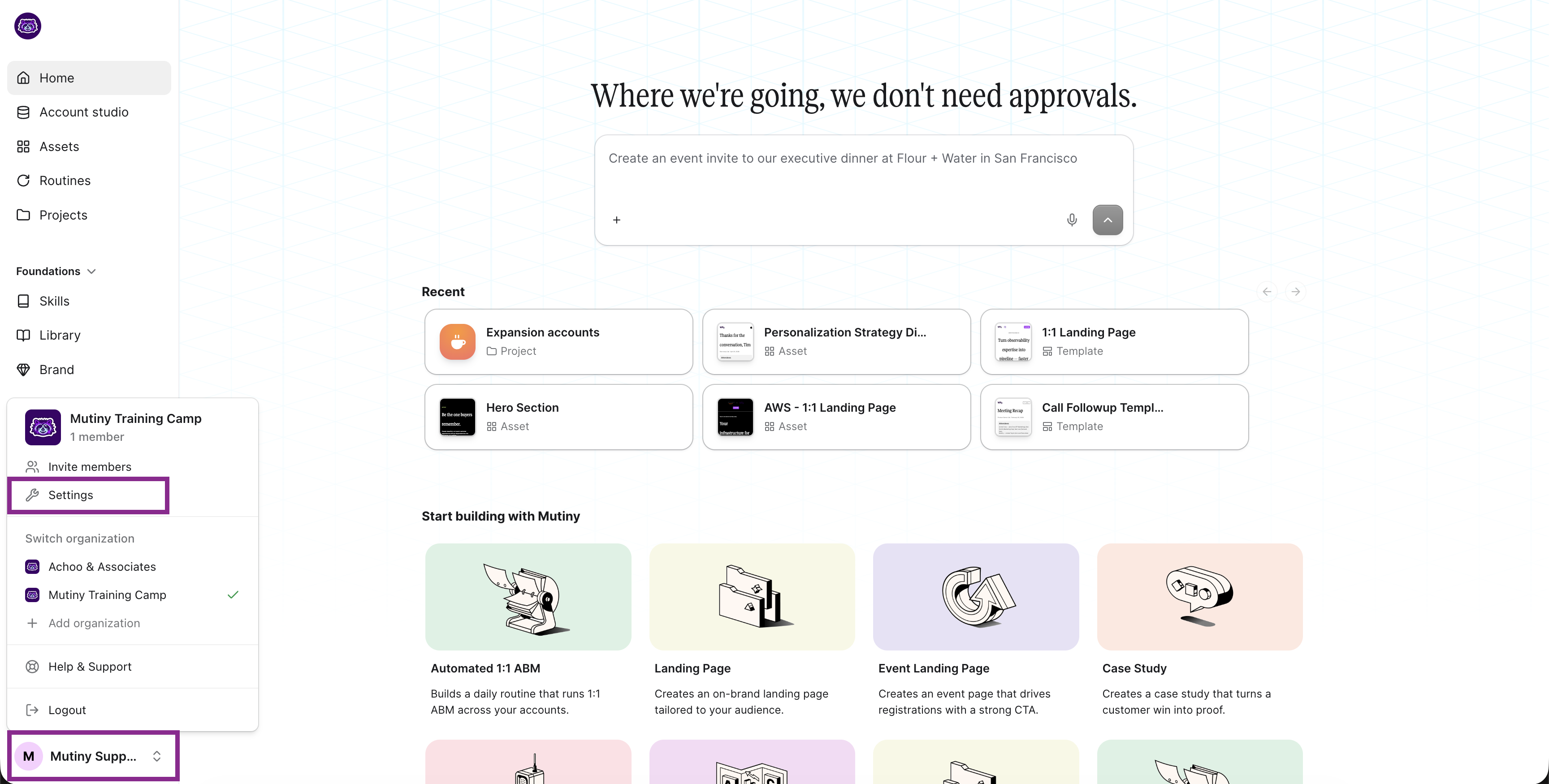
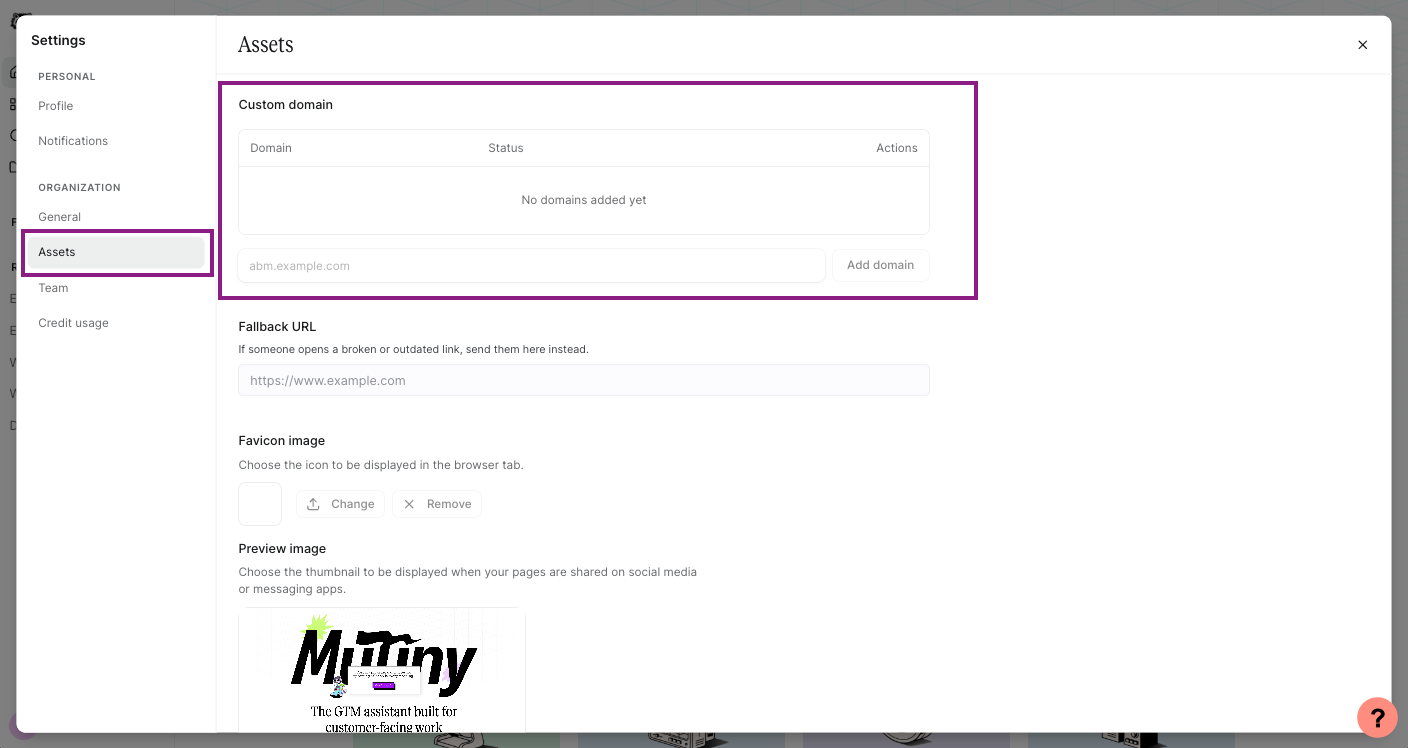
Once you have chosen your subdomain, go to the Pages section in the settings modal. At the top of the page, you will find the Custom Subdomain section. Enter your chosen subdomain and click Add Domain.
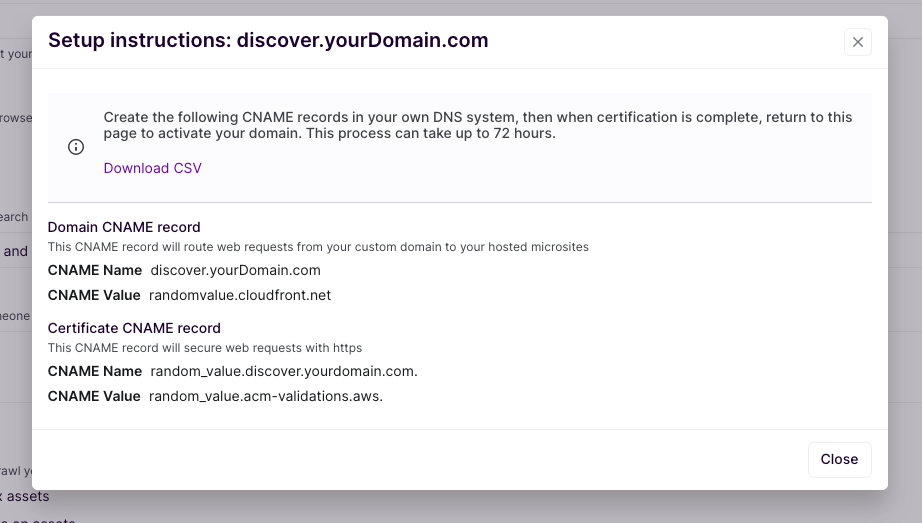
Mutiny will then display the two CNAME records you need to add to your DNS: a primary CNAME that maps your subdomain to Mutiny's infrastructure, and a verification CNAME used to issue your SSL certificate. You can export these records to a CSV to make it easier to hand off to your web or IT team.
Adding Your DNS Records
Your web or IT team will need to log in to your DNS management system and add both CNAME records exactly as Mutiny provides them. It is important that they match precisely. DNS changes can take anywhere from a few minutes to 24 to 48 hours to propagate, so plan accordingly before you need the subdomain to be live.
Activating Your Subdomain
Once DNS is configured, return to the Custom Subdomain section in Page Settings. When Mutiny has verified the records, you will see a confirmation. Click Activate, and your assets will begin being served on your custom subdomain.
Troubleshooting Notes for Technical Teams
Ensure exact CNAME record matching
Check for potential DNS conflicts, ensure that the subdomain is only used for Mutiny
Allow sufficient time for DNS propagation (24-28 hours in some cases)
Extra Help: Technical Terms Decoded
Domain Names Explained
Domain: The main web address of your company (e.g., yourcompany.com)
This is what customers type into their browser to reach your website
Examples: google.com, amazon.com, microsoft.com
Subdomain: An extension of your main domain that creates a separate section of your website
It appears before your main domain name
Format: subdomain.yourcompany.com
Examples:
target.yourcompany.com
explore.yourcompany.com
discover.yourcompany.com
Common Technical Terms
DNS
Think of it as the internet's phone book
Translates human-readable domain names into computer-readable IP addresses
Example: When someone types yourcompany.com, DNS tells their computer where to find your website
CNAME
A type of DNS record that creates an alias from one domain to another
Like creating a nickname that points to your real name
Example: Your subdomain discover.yourcompany.com points to Mutiny's servers
SSL
Security technology that creates an encrypted connection
Makes sure data passed between your visitors and website stays private
You can spot it in action when you see the padlock icon (🔒) in your browser
Shows up as "https://" instead of "http://" in the website address
CAA
A DNS record that controls which companies can issue SSL certificates for your domain
Acts like a list of approved security providers
Helps prevent unauthorized certificates from being created
Why These Matter
Security: SSL certificates ensure your visitors' data is protected
Trust: When visitors see your domain name and the security padlock, they know it's really your company
Branding: Using your own domain name (instead of a generic one) strengthens your brand
Analytics: Custom domains help track visitor behavior across your marketing assets
Need Help?
If you have questions or need help, the Mutiny Support team is here for you! You can submit a support ticket using the Submit a ticket button at the top of this page, or reach us at support@mutinyhq.com.