Integrating with ZoomInfo
Last updated: July 27, 2026
ZoomInfo MCP connects ZoomInfo's B2B company and contact data to Mutiny. Once connected, you can pull firmographics, intent signals, and verified contact details from ZoomInfo, then hand that context to Mutiny to build on-brand assets and run routines against those accounts.
Connecting to ZoomInfo
Get your ZoomInfo MCP endpoint. Visit the ZoomInfo MCP solution page to generate your MCP endpoint URL. This is the ZoomInfo MCP connector that Mutiny will use.
Once you have your ZoomInfo MCP endpoint, head to the integrations page in Mutiny
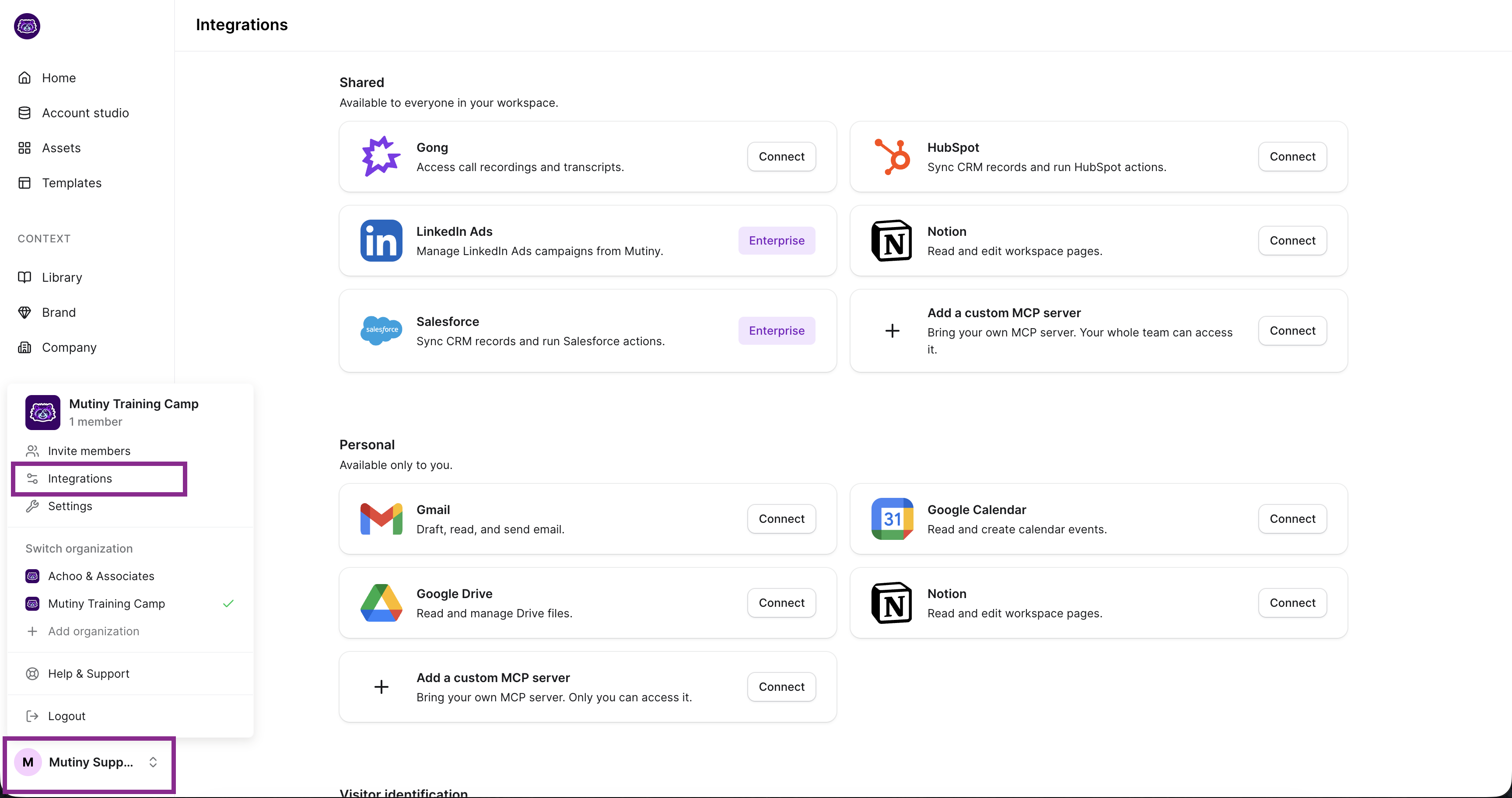
If you have Admin or Owner permissions in Mutiny, this integration can be set up on a shared level or a personal level. Shared means everyone in your Mutiny instance can access the data from this integration; Personal means only your account can access this integration.
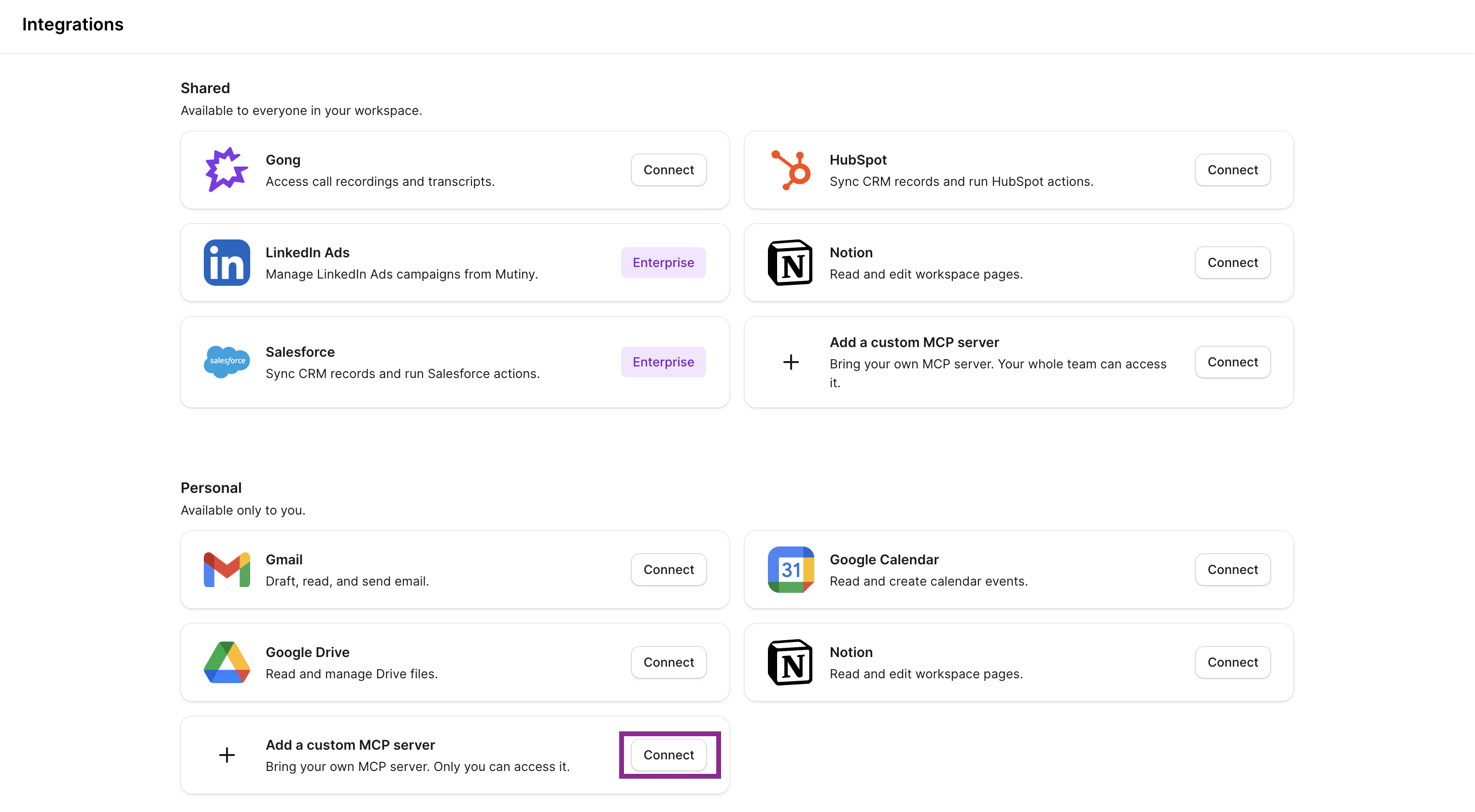
From the Add a custom MCP server click Connect:
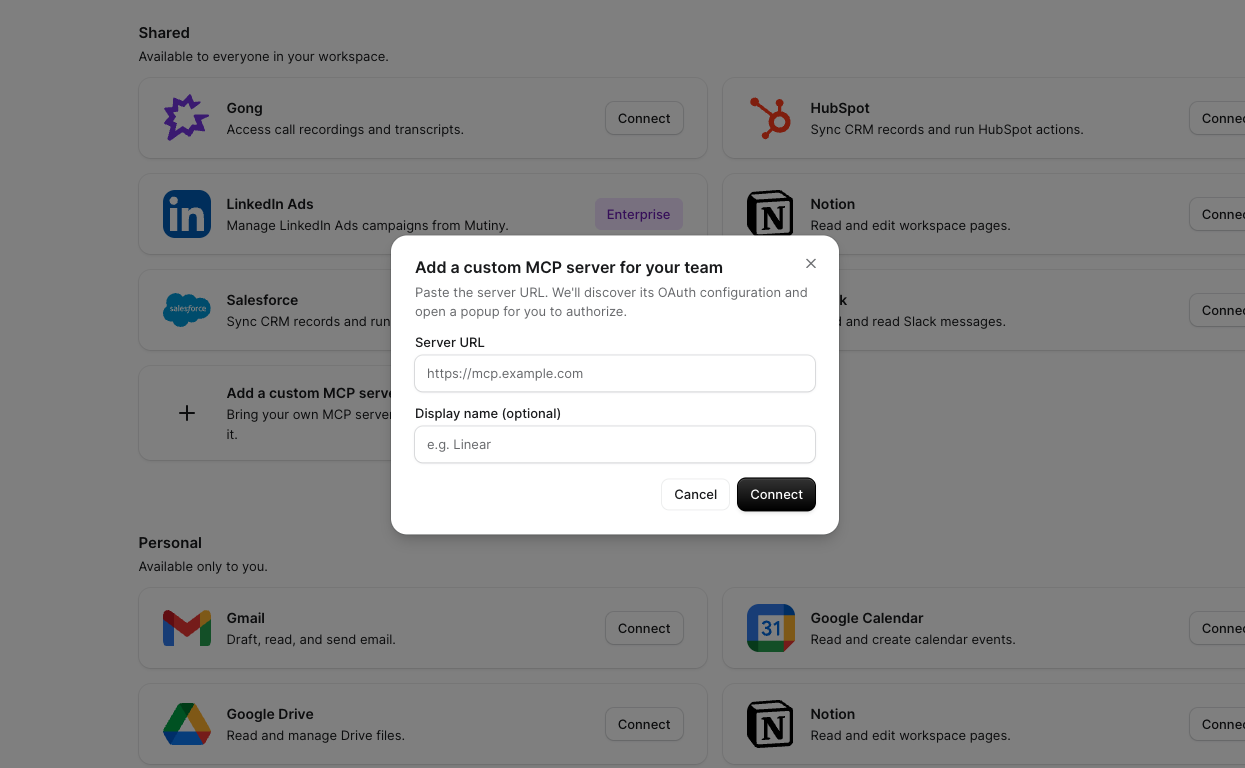
This will open a modal where you can add your ZoomInfo MCP server URL, as well as the display name in Mutiny. Set the display name to ZoomInfo, and add your MCP server URL.
Once added, click Connect. This will launch a modal where you will authorize your [] account
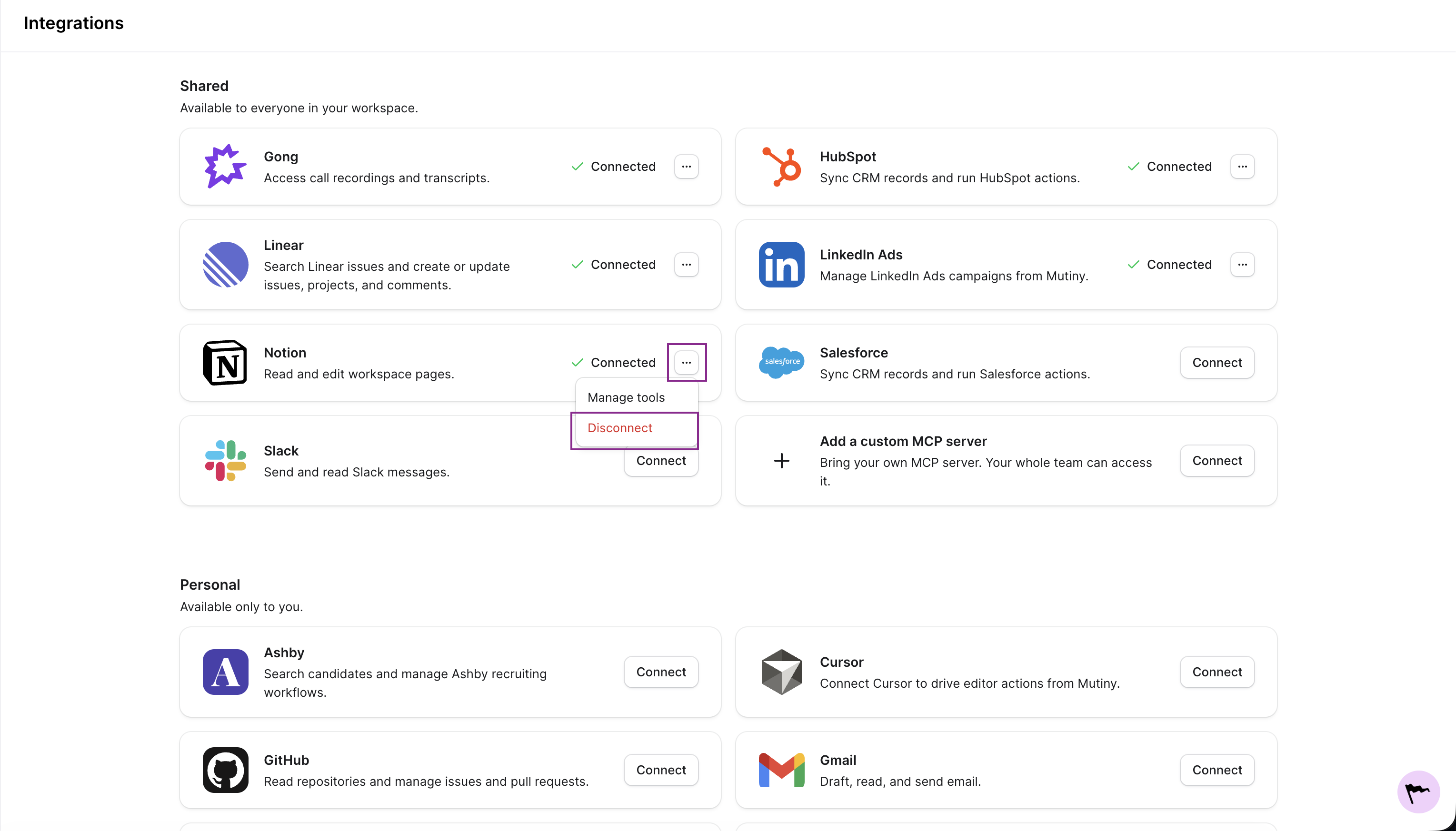
Disconnecting
You can disconnect any integration from the three-dot menu on the integration card
Need Help?
If you have questions or need help, the Mutiny Support team is here for you! You can submit a support ticket using the Submit a ticket button at the top of this page, or reach us at support@mutinyhq.com.