Integrating with Fireflies
Last updated: June 29, 2026
Connect Fireflies to Mutiny to give the Mutiny agent access to your recent call transcripts and notes in Fireflies
Connecting to Fireflies
To get started, head to the integrations page in Mutiny
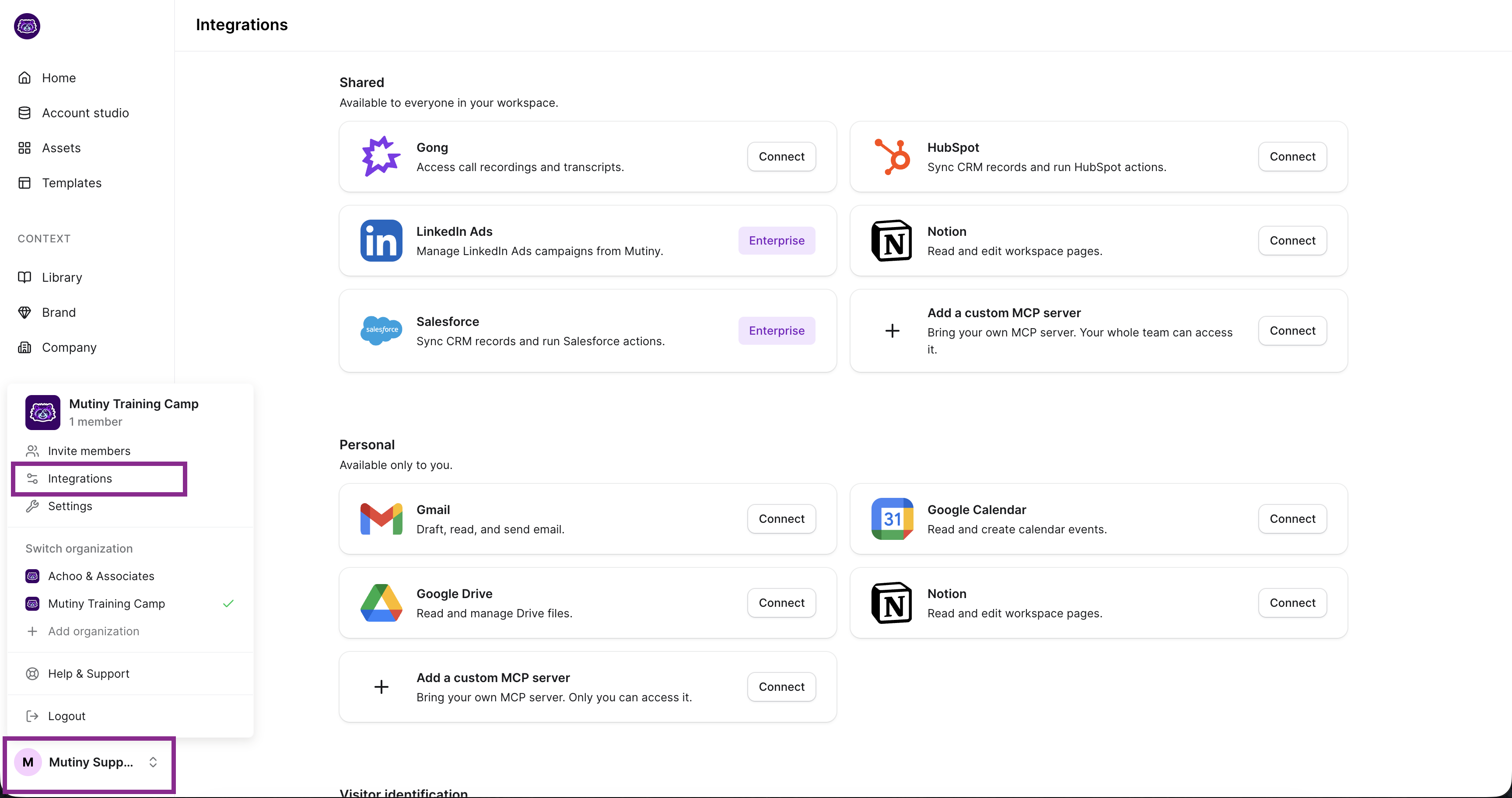
If you have Admin or Owner permissions in Mutiny, this integration can be set up on a shared level or a personal level. Shared means everyone in your Mutiny instance can access the data from this integration; Personal means only your account can access this integration.
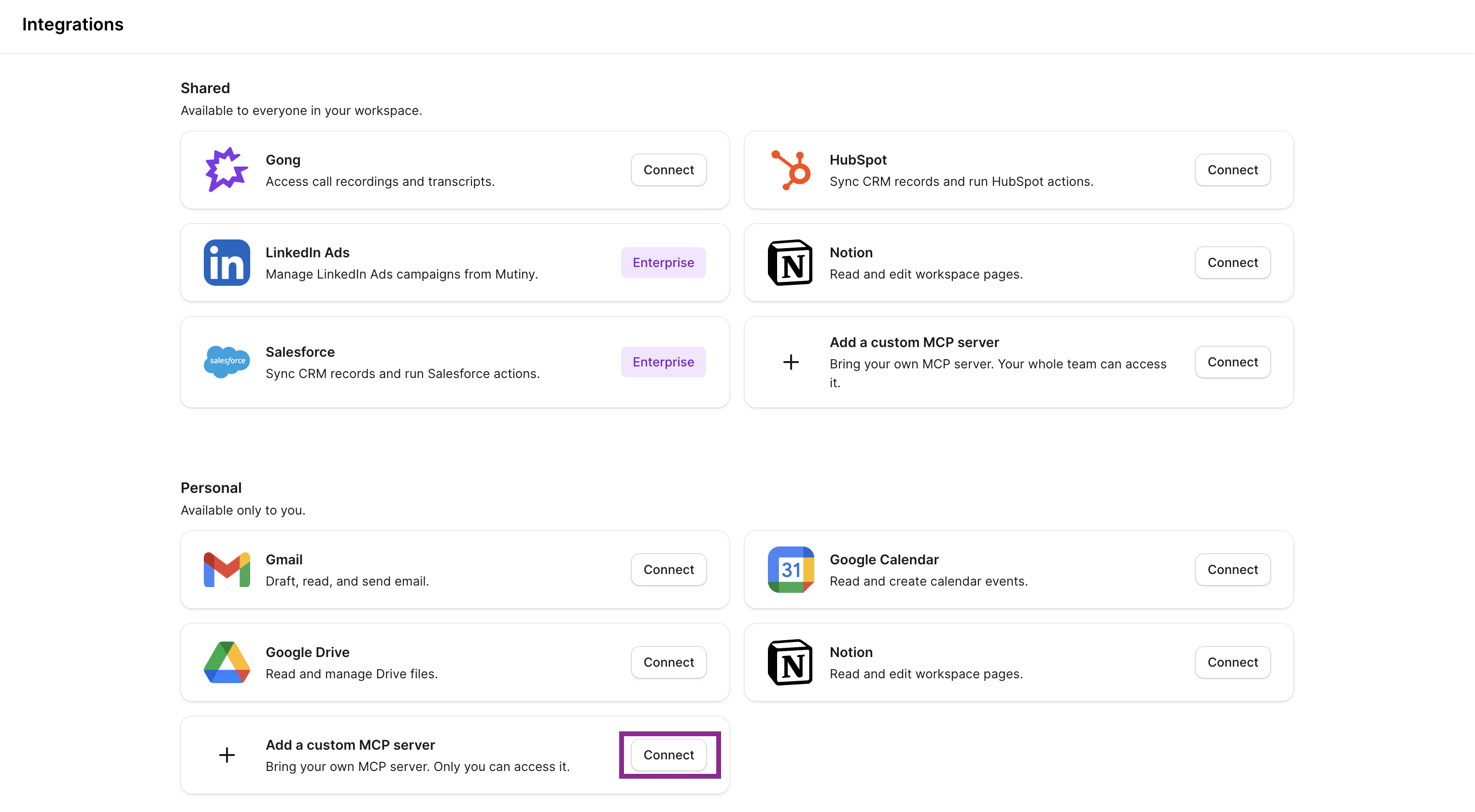
From the Add a custom MCP server click Connect:
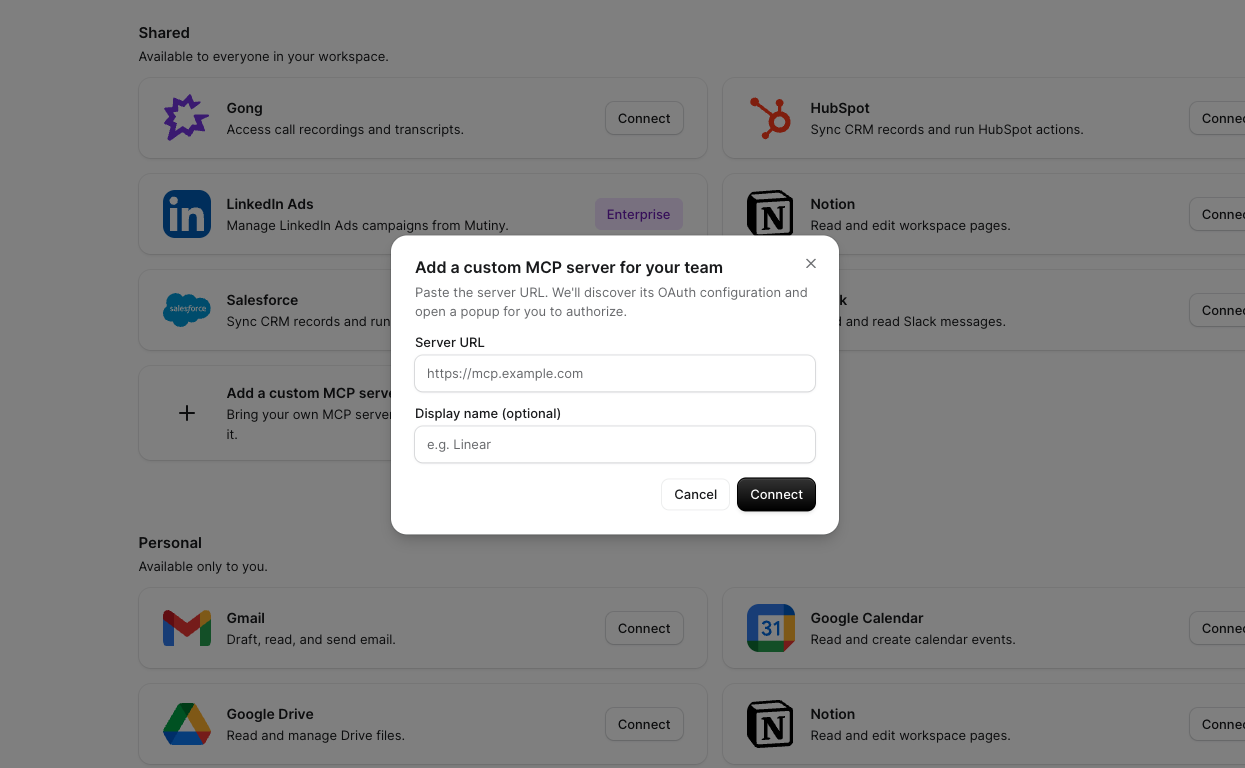
This will open a modal where you can add the Fireflies MCP server URL, as well as the display name in Mutiny. Set the display name to Fireflies, and add the respective MCP server URL: https://api.fireflies.ai/mcp
Once added, click Connect. This will launch a modal where you will authorize your Fireflies account
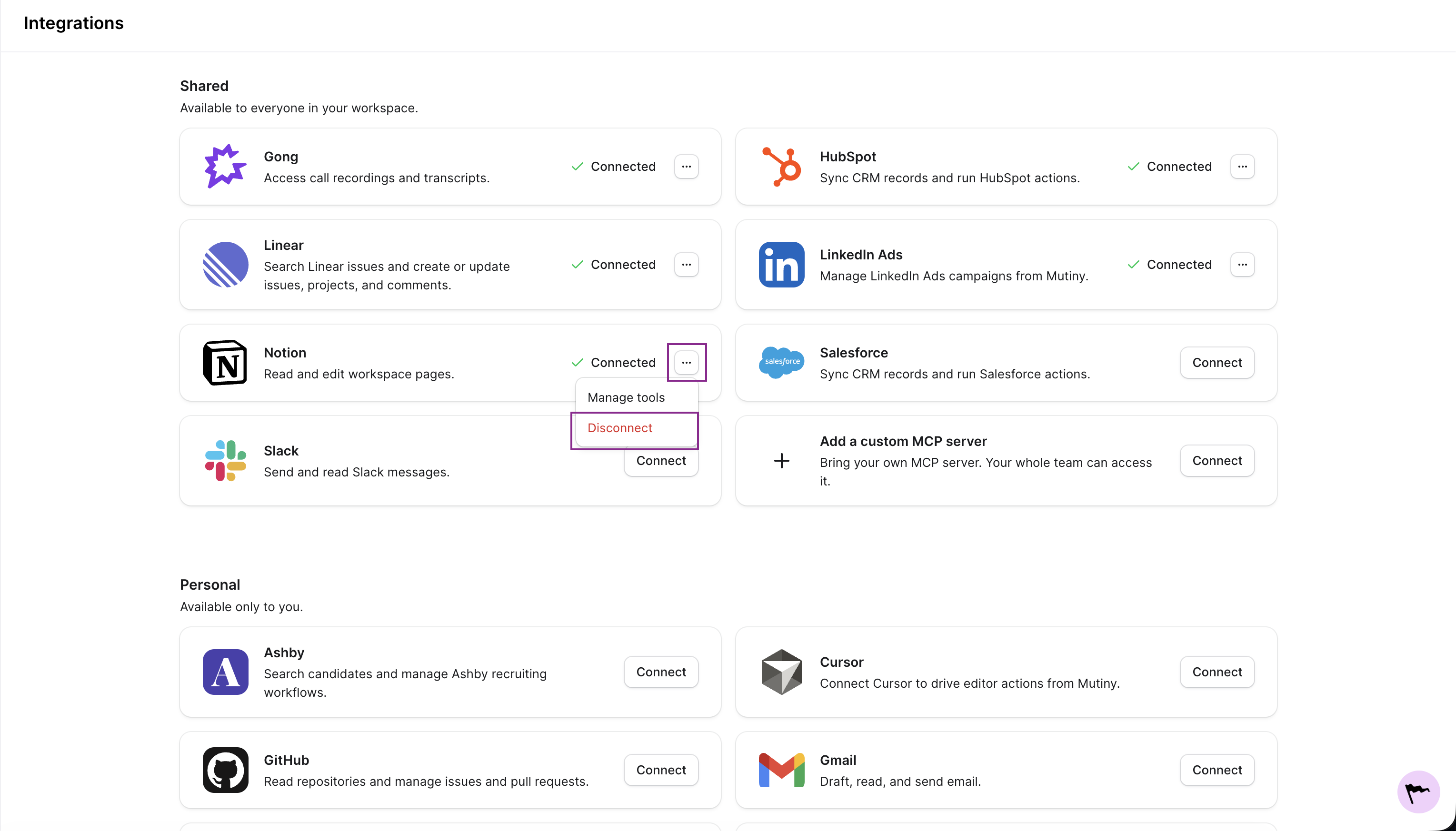
Disconnecting
You can disconnect any integration from the three-dot menu on the integration card
Need Help?
If you have questions or need help, the Mutiny Support team is here for you! You can submit a support ticket using the Submit a ticket button at the top of this page, or reach us at support@mutinyhq.com.