Leaving or Deactivating Your Organization
Last updated: August 26, 2026
If you no longer need access to a Mutiny workspace, you can either leave the organization or deactivate it entirely. Which option you see depends on your role and how many active users are left in the workspace.
These options are available on Free and Business plans. Enterprise organizations are managed by your Mutiny account team, so Enterprise users will not see them; reach out to your account team instead.
Leaving an organization
Any member who is not the last remaining Owner can leave an organization at any time. Open Settings → Organization and select Leave organization.
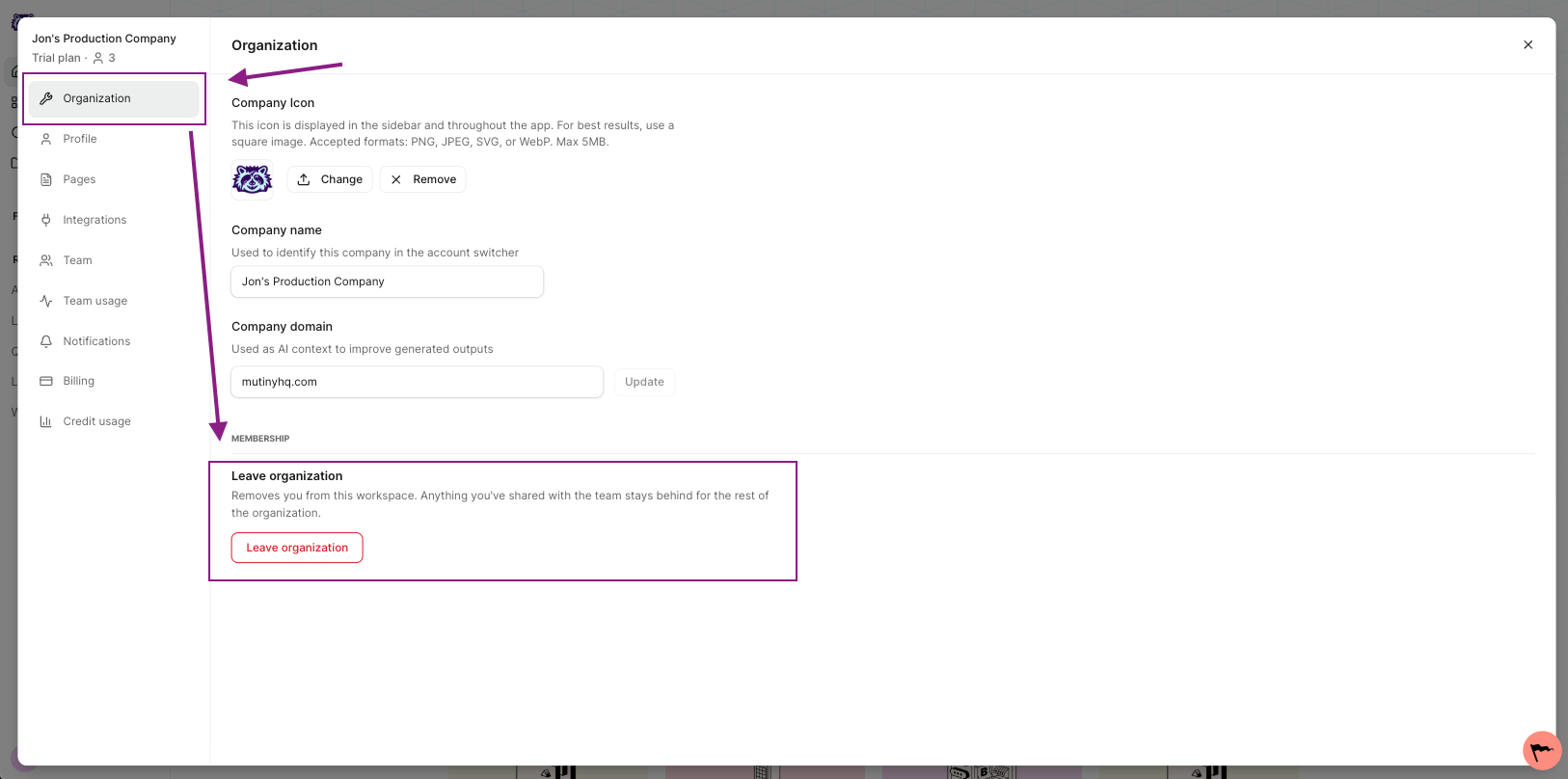
Once you leave, you lose access to that workspace immediately, and it no longer appears in your org switcher. If it was the only workspace you belonged to, Mutiny takes you through onboarding to create or join a new one.
Deactivating an organization
If you are the Owner and the only active user in the workspace, you will see Deactivate organization instead. Deactivating shuts the organization down and removes you from it.
If you are the last Owner and other users remain
Owners cannot deactivate a workspace that still has other active users in it. Mutiny shows a warning explaining that the organization cannot be deactivated because you are not the only active user.
To move on, you have two options:
Hand off ownership. Go to Settings → Team, set another active user's role to Owner, and then leave the organization. The workspace stays open for the rest of your team.
Deactivate the other users first. Once you are the only active user left, Deactivate organization becomes available.
Who can do what
User, Content Manager, or Admin — can leave the organization at any time.
Owner, with other active users in the workspace — must promote another user to Owner first, then leave.
Owner, and the only active user — can deactivate the organization.
FAQ
I am on an Enterprise plan and do not see these options.
Enterprise organizations are serviced by your Mutiny account team. Contact them to make changes to your organization.
I deactivated an organization by mistake.
Reach out to Mutiny Support, and we will help you sort it out - support@mutinyhq.com
What happens to the assets in a deactivated organization?
They are no longer accessible to you or anyone else once the organization is deactivated.
Need Help?
If you have questions or need help, the Mutiny Support team is here for you! You can submit a support ticket using the Submit a ticket button at the top of this page, or reach us at support@mutinyhq.com.