Switching Between Mutiny Instances
Last updated: August 26, 2026
We make it easy for your Mutiny account to exist across different Mutiny instances/organizations. Using the profile menu in the bottom left, you will see all the Mutiny organizations your user is a part of.
Click into different organizations to switch which instance you are working out of.
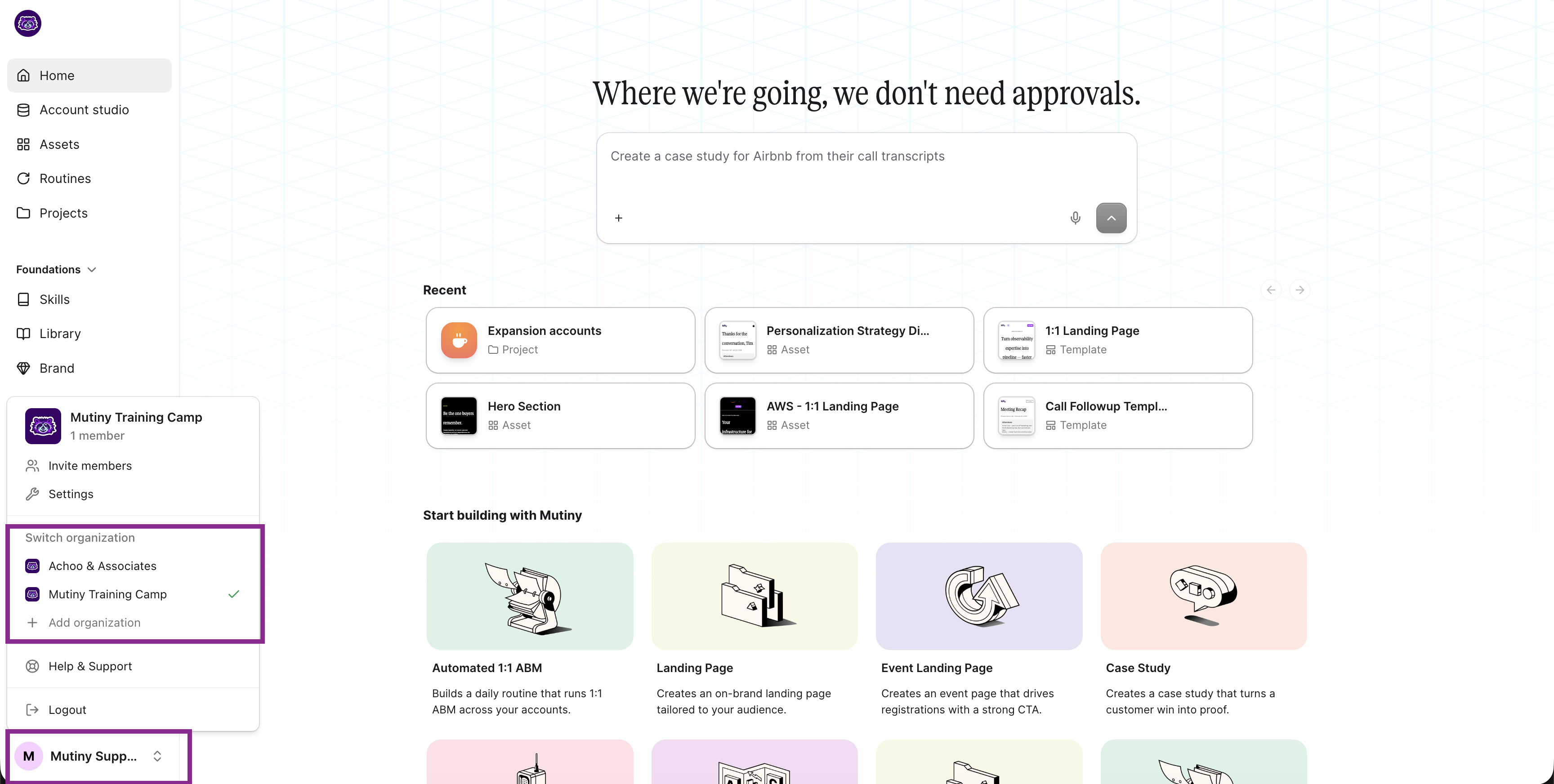
Any organizations your user has been invited to will display here. Alternatively, you can create a new organization by clicking + Add Organization.
Leaving an organization
If you no longer need one of the organizations listed here, switch into it and open Settings → Organization to leave it. On Free and Business plans, an Owner who is the only active user in the workspace will see Deactivate organization instead.
📄 Leaving or Deactivating Your Organization
Need Help?
If you have questions or need help, the Mutiny Support team is here for you! You can submit a support ticket using the Submit a ticket button at the top of this page, or reach us at support@mutinyhq.com.