Skills Overview
Last updated: June 22, 2026
Skills are reusable sets of instructions that the Mutiny agent can load whenever they're relevant to your work. You can build them out to fit your specific use case and share them with your team, making it easy to standardize how the agent handles recurring tasks or workflows.
The Mutiny Agent can call skills in routines or standalone threads.
Finding Skills
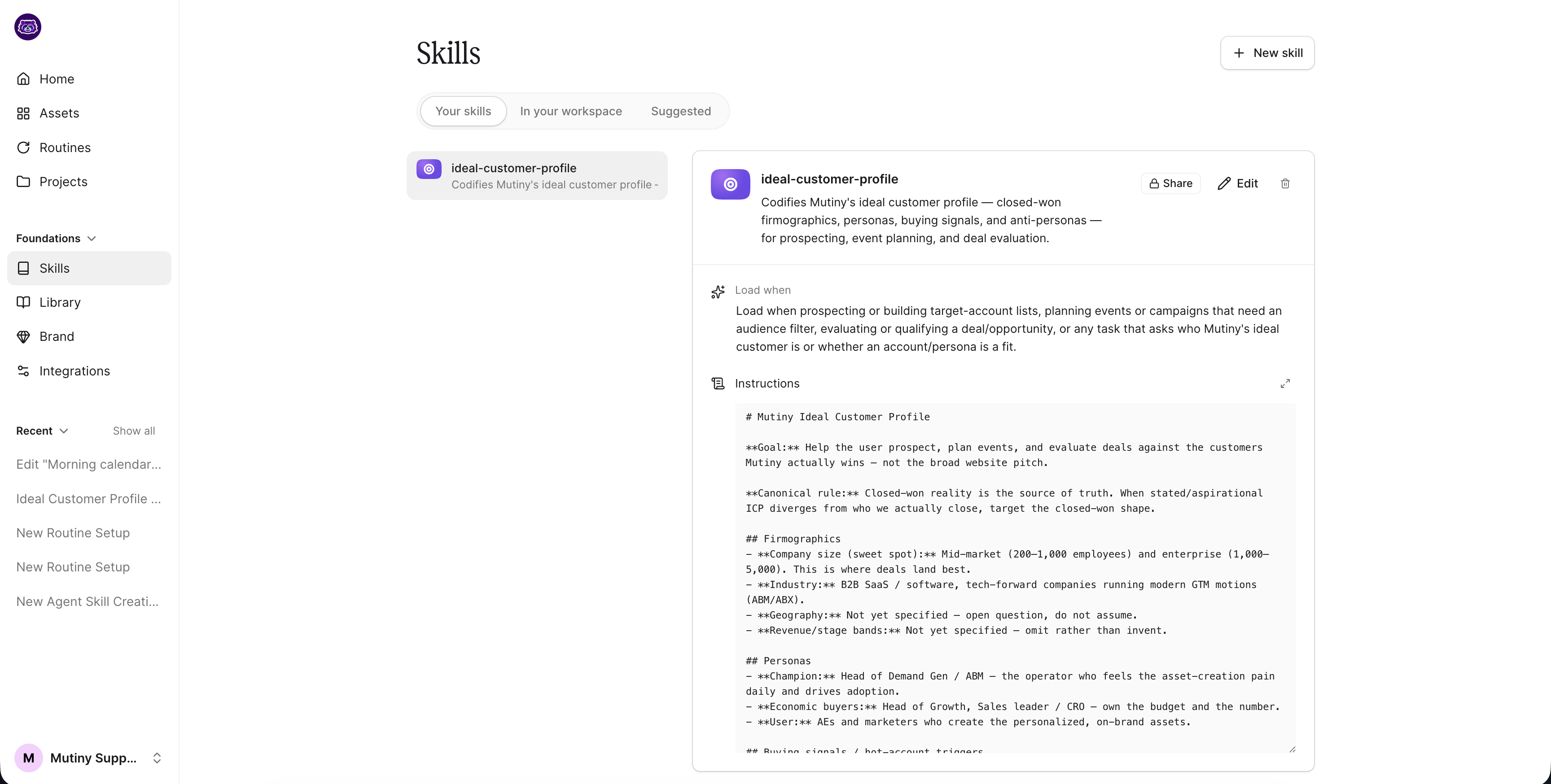
Access Skills from the left sidebar by clicking Skills under Foundations. At the top, you can switch between Your Skills, In Your Workspace (skills shared by teammates), and Suggested Skills to get started with ideas.
Creating a Skill
Click the + New Skill button in the top right. This opens a new thread where you can work with the agent to describe and build out your skill. Once created, the skill appears under Your Skills.
Managing a Skill
Skills are fully editable, so you can update them as your workflow evolves over time. Click on any skill to open its settings. From here you can:
Rename the skill and change its icon
Set sharing settings to private, visible, or editable
Edit the skill instructions
Review when the skill loads and what it does
Delete the skill
You can also work with the agent to make broader changes to the skill. This can be done by clicking Edit in the top right of the skill card
Need Help?
If you have questions or need help, the Mutiny Support team is here for you! You can submit a support ticket using the Submit a ticket button at the top of this page, or reach us at support@mutinyhq.com.