Routines Overview
Last updated: June 24, 2026
Routines are Mutiny's automation engine. They let you set up recurring actions that run on a schedule, like building out a weekly readout on ABM performance, reviewing and prepping for upcoming meetings in Google Calendar, or monitoring your CRM for deal changes.
Use them to automate repetitive parts of your marketing and sales workflow so you can stay focused on what matters.
Finding Routines
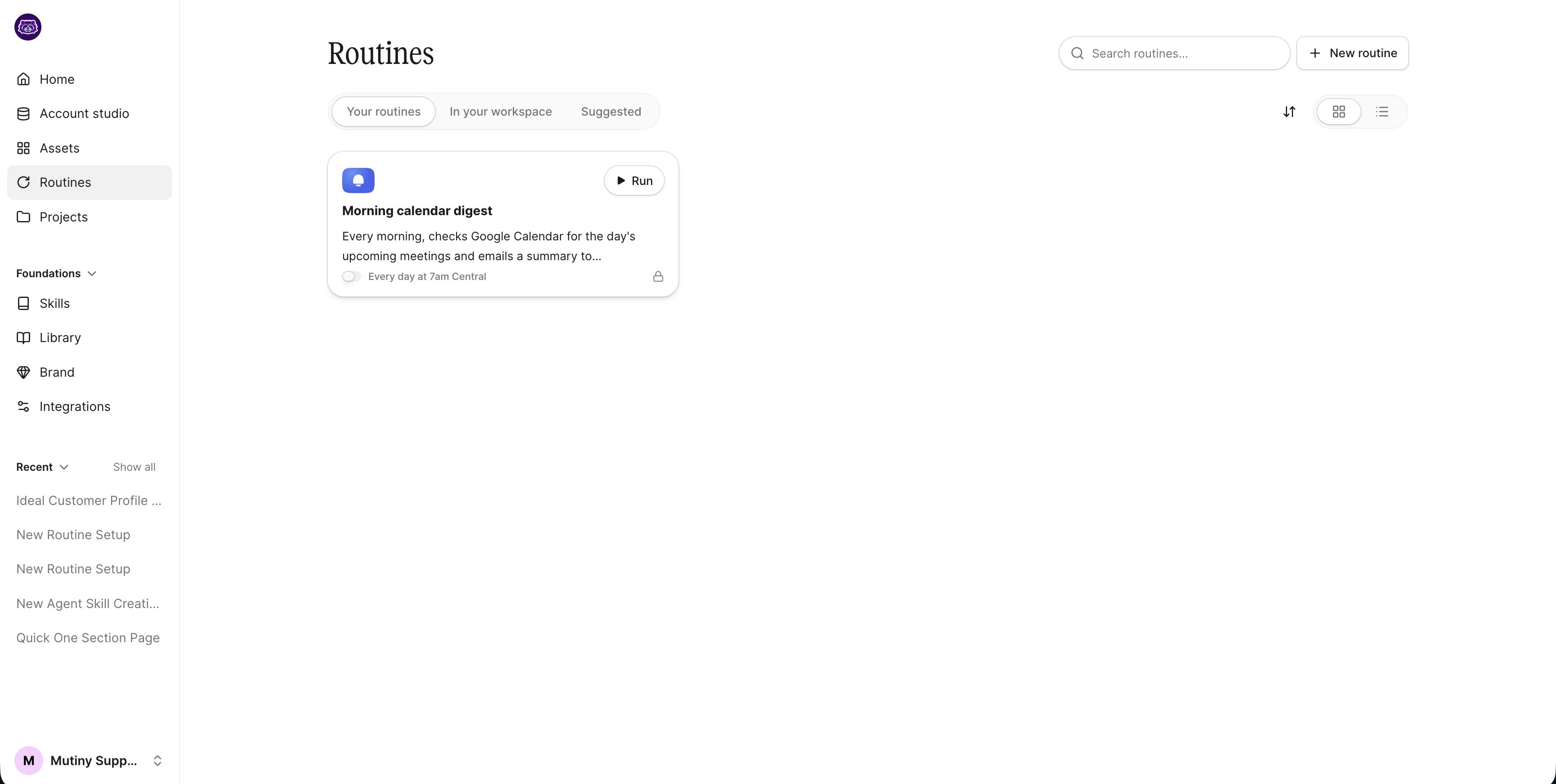
Access Routines from the left sidebar by clicking Routines. At the top of the page, you'll see three tabs: Your Routines, In your Workspace (shared by teammates in your workspace), and Suggested Routines. Suggested Routines are pre-built templates to help you get started quickly.
Creating a Routine
Click the New Routine button in the top right corner. This opens a new thread where you can describe what you want the routine to do. The agent will build it based on your instructions.
Before creating a routine that uses integrations, make sure those integrations are enabled on your account. You can check this under Foundations > Integrations. You can learn more about connecting integrations here:
Managing Your Routines
Once created, your routine appears under the Your Routines tab. From there, you can run it manually or click into it to make changes.
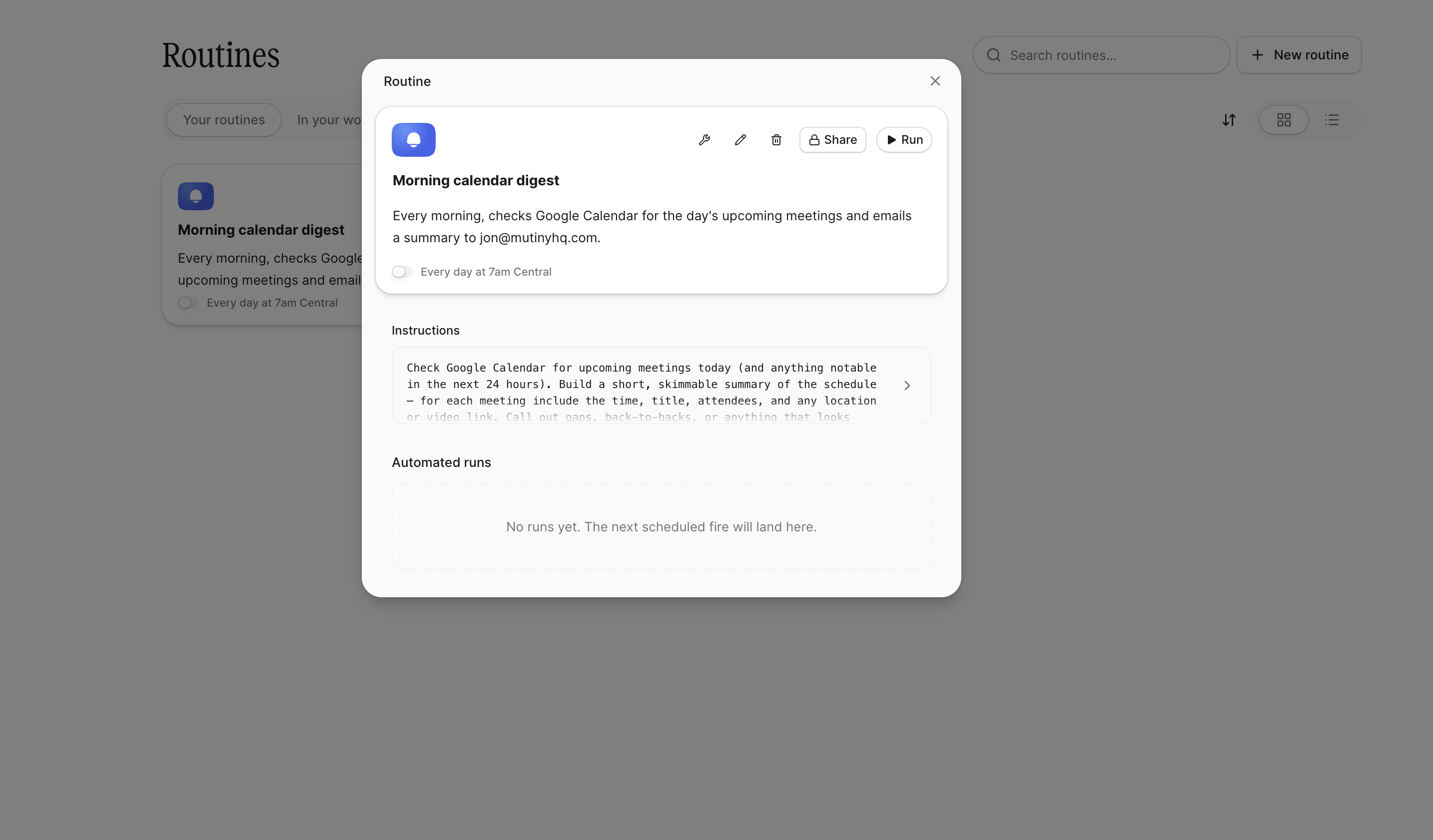
Each routine card has icons at the top for quick actions:
Set tool usage privileges
Edit with the agent
Delete the routine
Share it with your team
Editing Routine Instructions
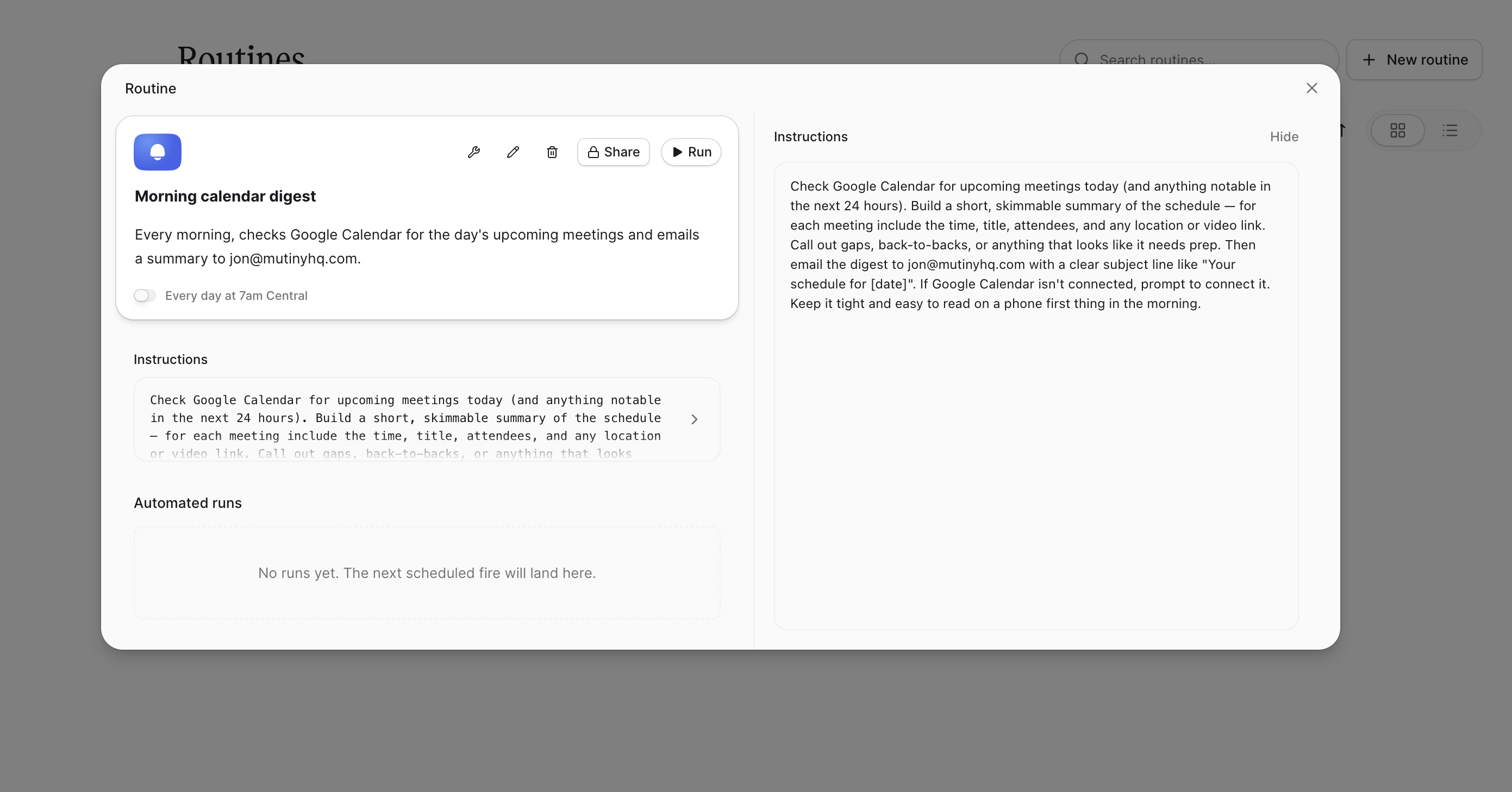
Each routine card includes an expandable text box showing the instructions the agent follows. You can manually edit these instructions directly if the routine isn't behaving as expected.
Run Logs
Below the instructions, you'll find a log of all automated runs the routine has completed. Use this to confirm the routine is working as expected and to review past activity.
Need Help?
If you have questions or need help, the Mutiny Support team is here for you! You can submit a support ticket using the Submit a ticket button at the top of this page, or reach us at support@mutinyhq.com.