Insert Sections & Elements into your Asset
Last updated: June 24, 2026
The quick changes menu provides a set of elements that can be added to your asset. You can create blank sections or add elements via the "+" icon in the quick changes menu.
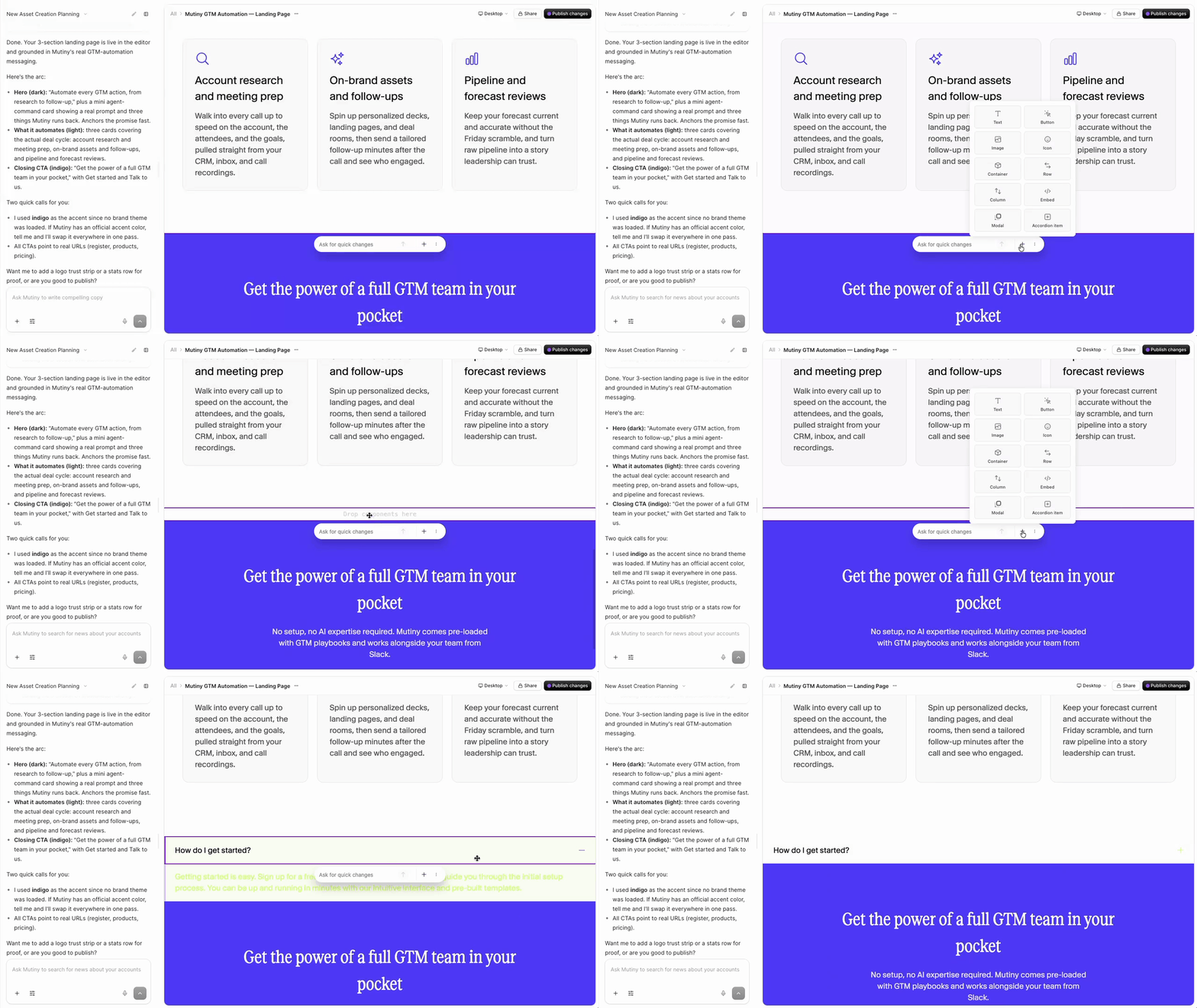
Add Blank Sections with the Quick Changes Menu
Select a section on the page, and click the "+" icon to add a blank section.
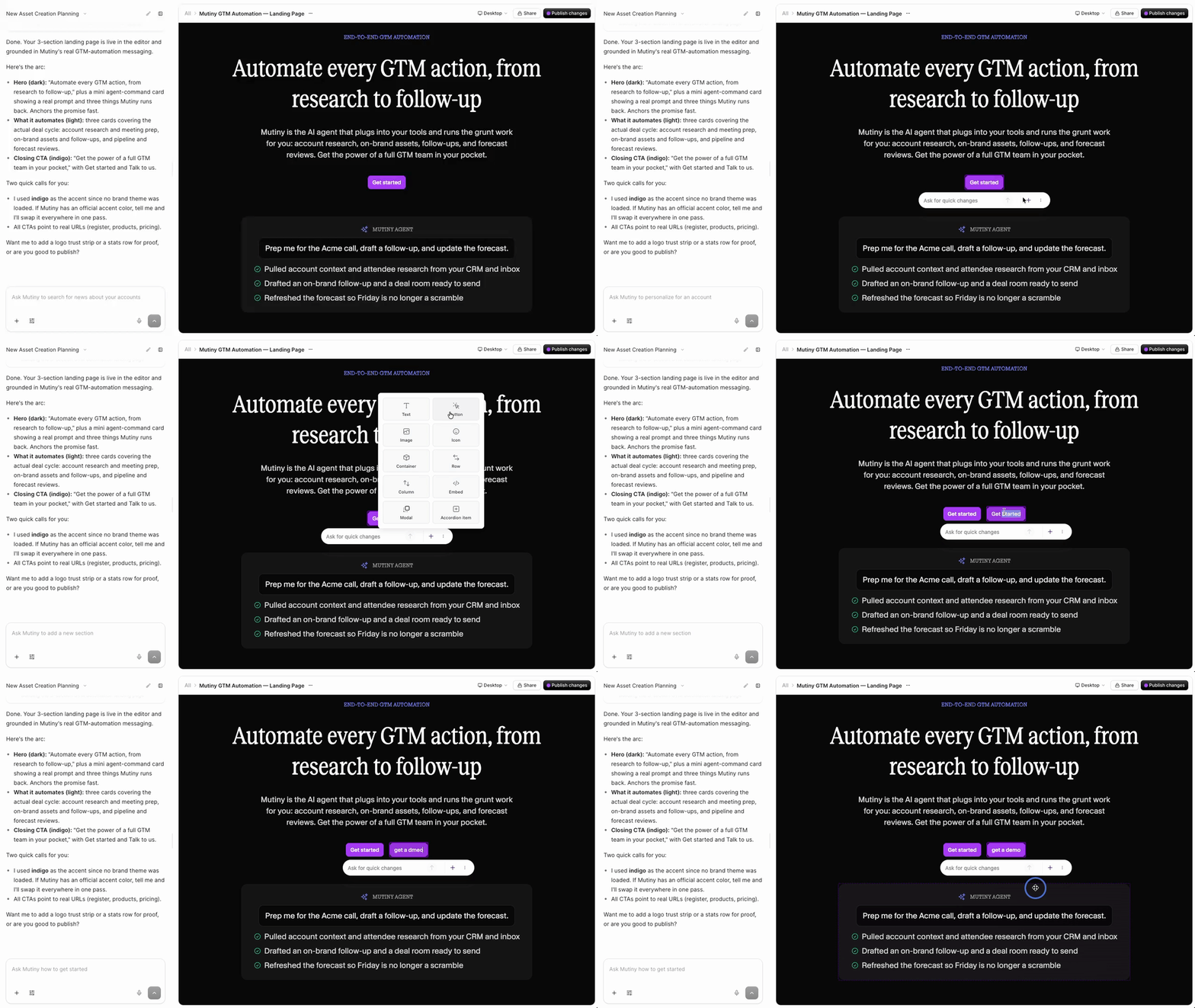
Adding Elements to your Asset from the Quick Changes Menu
Click into any element inside a section on your asset, and click the "+" icon in the quick changes menu. This will show a list of elements you can add, such as buttons, icons, embeds, etc
Need Help?
If you have questions or need help, the Mutiny Support team is here for you! You can submit a support ticket using the Submit a ticket button at the top of this page, or reach us at support@mutinyhq.com.