Make Assets Mobile Friendly
Last updated: June 24, 2026
You can use Agent to make your Mutiny assets mobile-friendly by prompting it to adjust styles for mobile devices.
Making a Page Responsive
To make your asset mobile-responsive, prompt the Creative Agent with
Make this page responsive for mobile.
The Creative Agent will scan your page and identify styles that need adjustment for mobile devices.
Verify changes
Once the agent has finished making changes, you can preview these changes in a mobile view. To do this, toggle the mobile preview by using the device preview dropdown:
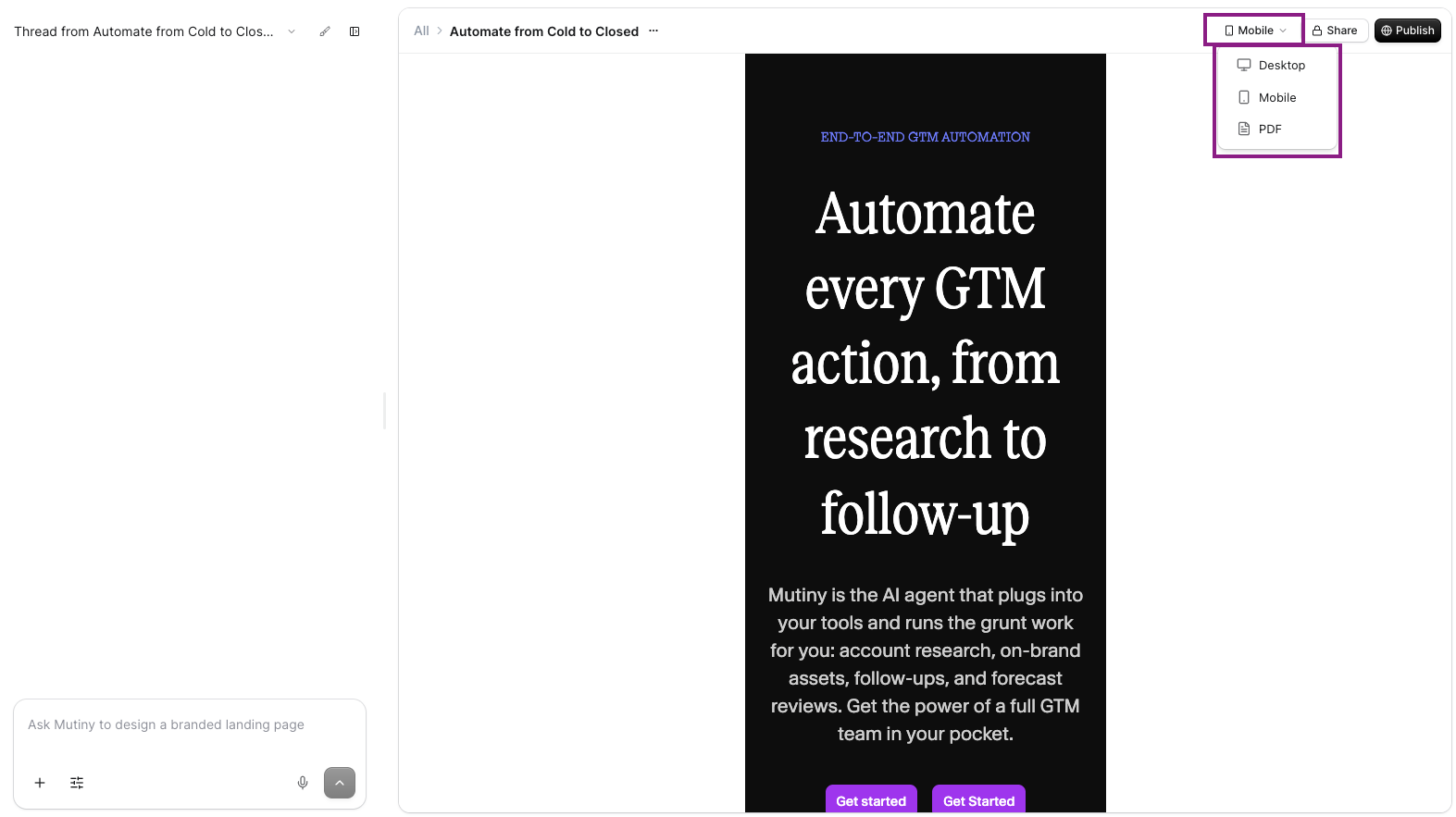
When previewing, if you need to make changes to individual sections, select the section you want to modify and prompt the agent with specific instructions, such as
This text is too large on mobile. Make it responsive.
This works for any section - text, logos, images, or other elements that need mobile-specific adjustments.
Need Help?
If you have questions or need help, the Mutiny Support team is here for you! You can submit a support ticket using the Submit a ticket button at the top of this page, or reach us at support@mutinyhq.com.