How to Create a Slide Deck Asset
Last updated: July 27, 2026
Mutiny lets you create slide deck assets directly in the platform, giving you a fully editable and personalized slide deck. You can build decks from a blueprint or from scratch, and the agent works across all slides just like it does for any other asset.
Creating a Slide Deck
To get started, go to the Home tab. From here, you can either select a blueprint like Personalized Pitch Deck, or type your own prompt in the prompt box. Make sure your prompt mentions that you want a slide deck, for example
Create a new slide deck for my upcoming kickoff call with ACME corp
Once created, you will see a slide deck interface instead of the standard web asset view.
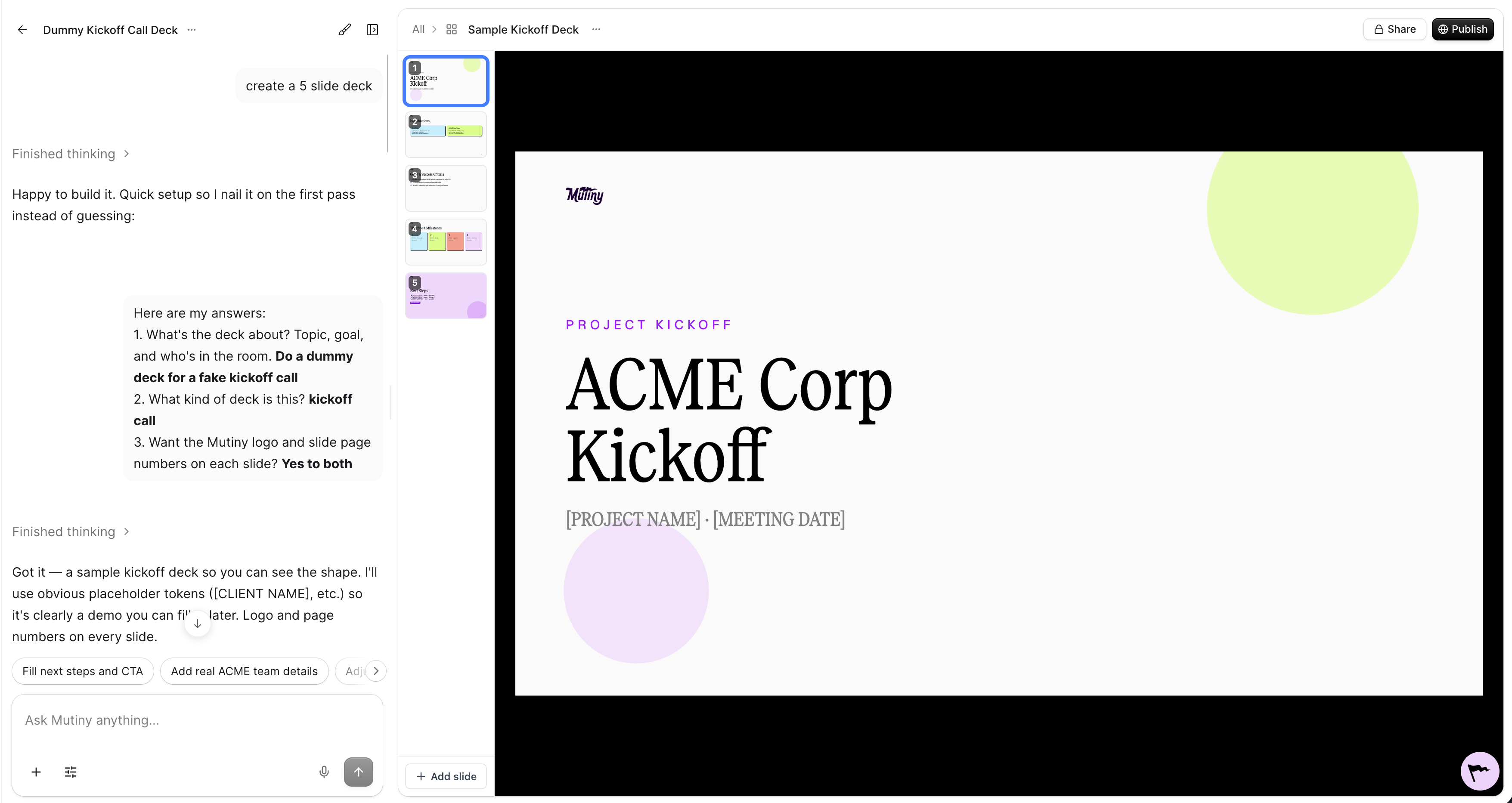
Editing Your Slide Deck
The agent has full context of all the content across your slides. You can ask it to make changes to the entire deck at once, or target a specific slide.
You also have access to the Design menu, just like any other asset. Click on any element in a slide to select it and make edits directly.
Exporting to Google Slides
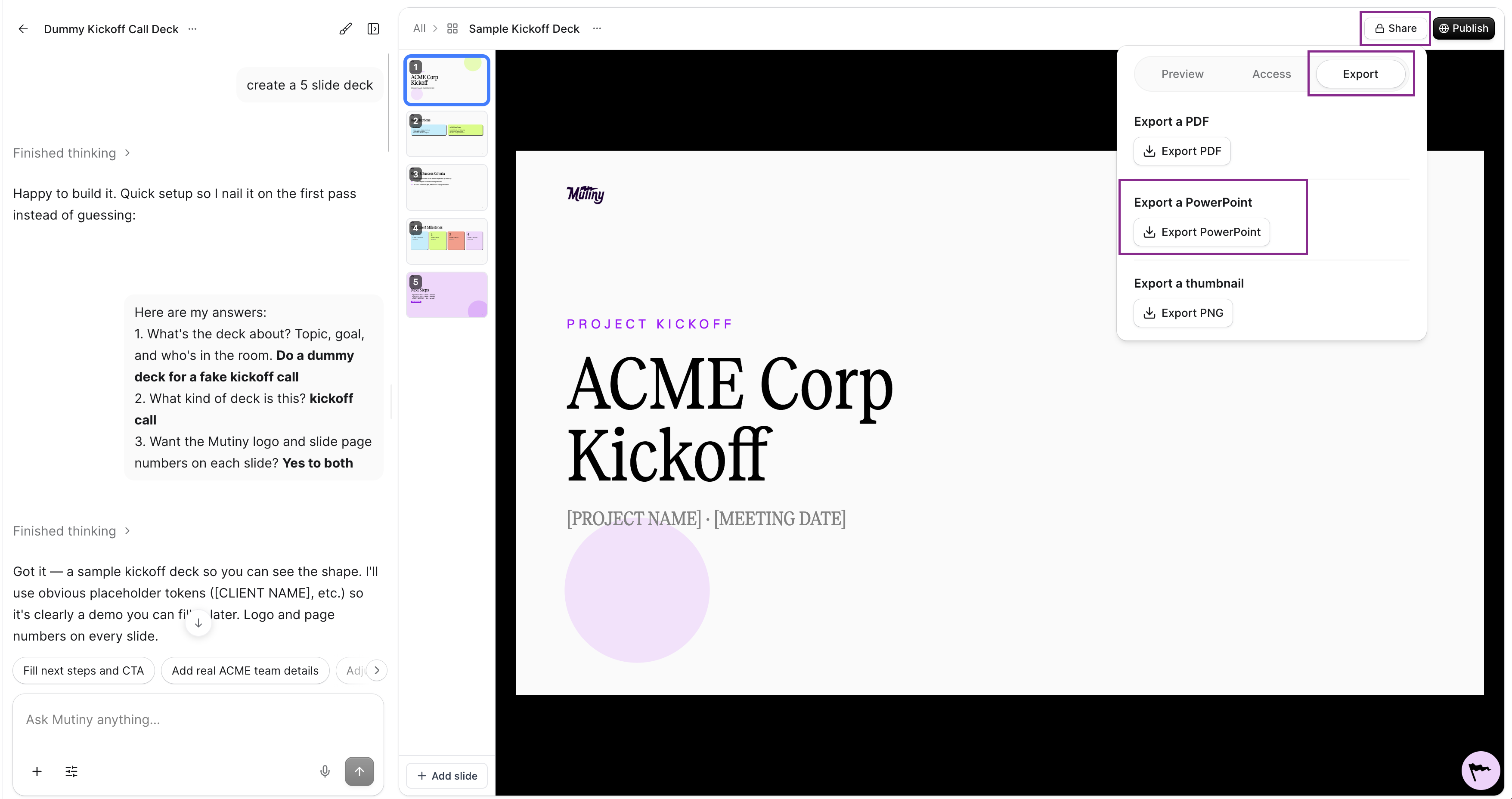
To export your slide deck, click the three-dot menu next to the asset name and select Export to PDF. The PDF will be generated with one slide per page, which you can then upload to Google Slides or any other presentation tool.
Need Help?
If you have questions or need help, the Mutiny Support team is here for you! You can submit a support ticket using the Submit a ticket button at the top of this page, or reach us at support@mutinyhq.com.