Assets Editor Design Tab
Last updated: April 6, 2026
The Design tab enables you to make fine adjustments to the elements in your asset. You can make edits to the margin, padding, width, and height, or change the way text is displayed in a section; and this only covers a small number of properties you can change.
Check out the Mutiny Training Camp to learn more about the design tab:📄 Using the Design tab
Using the Design tab
First, select the element you would like to make changes to, then click the Design tab
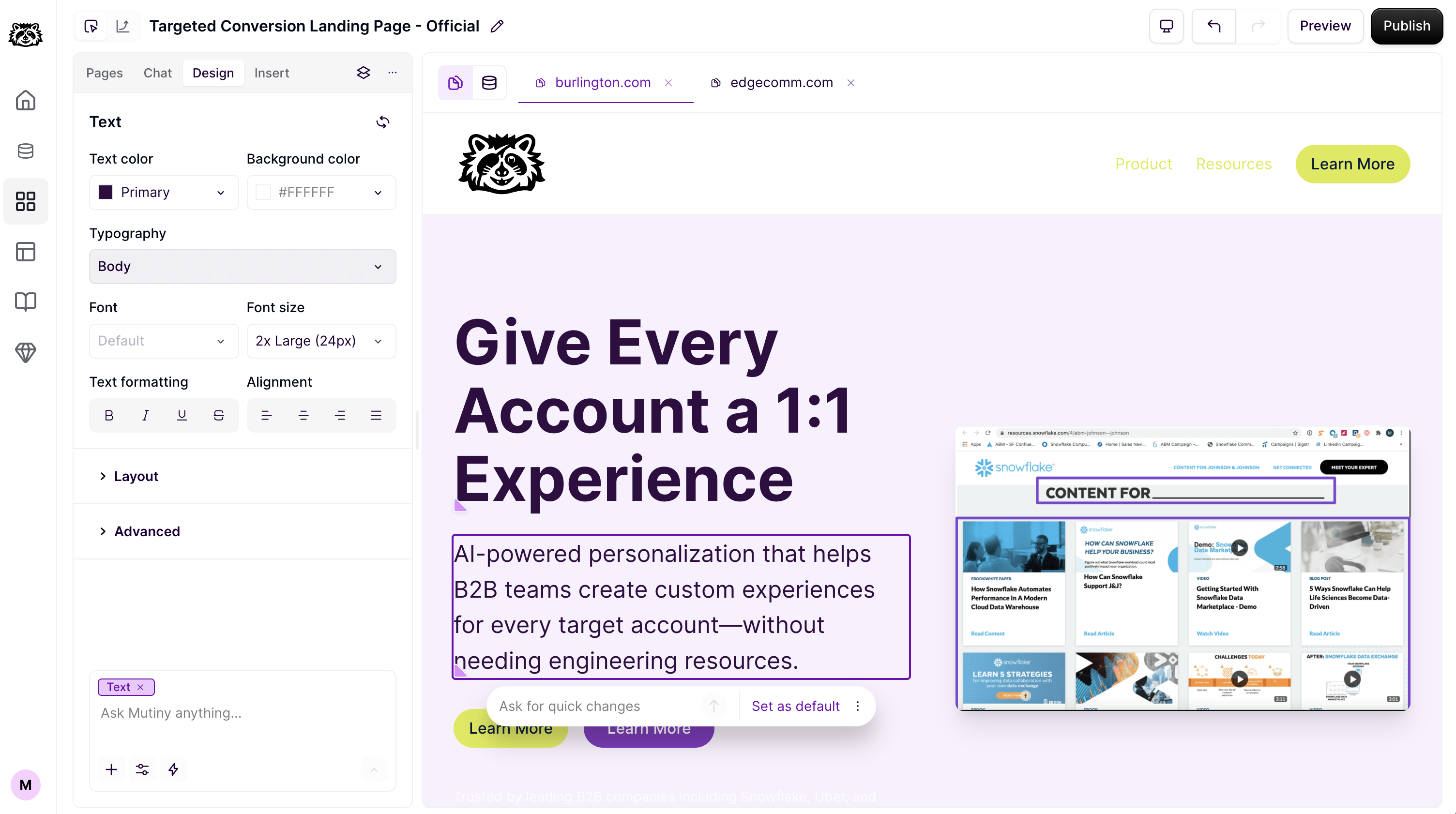
From here, you can make design changes to this element, and if the element contains text, you can make changes to the text in this element.
In this example, we are going to adjust the positioning of the CTA button in the header. To do this, we select the CTA button, and in the Design tab, scroll to the Layout section. Then we'll adjust the left margin to give it more space from the other CTA.
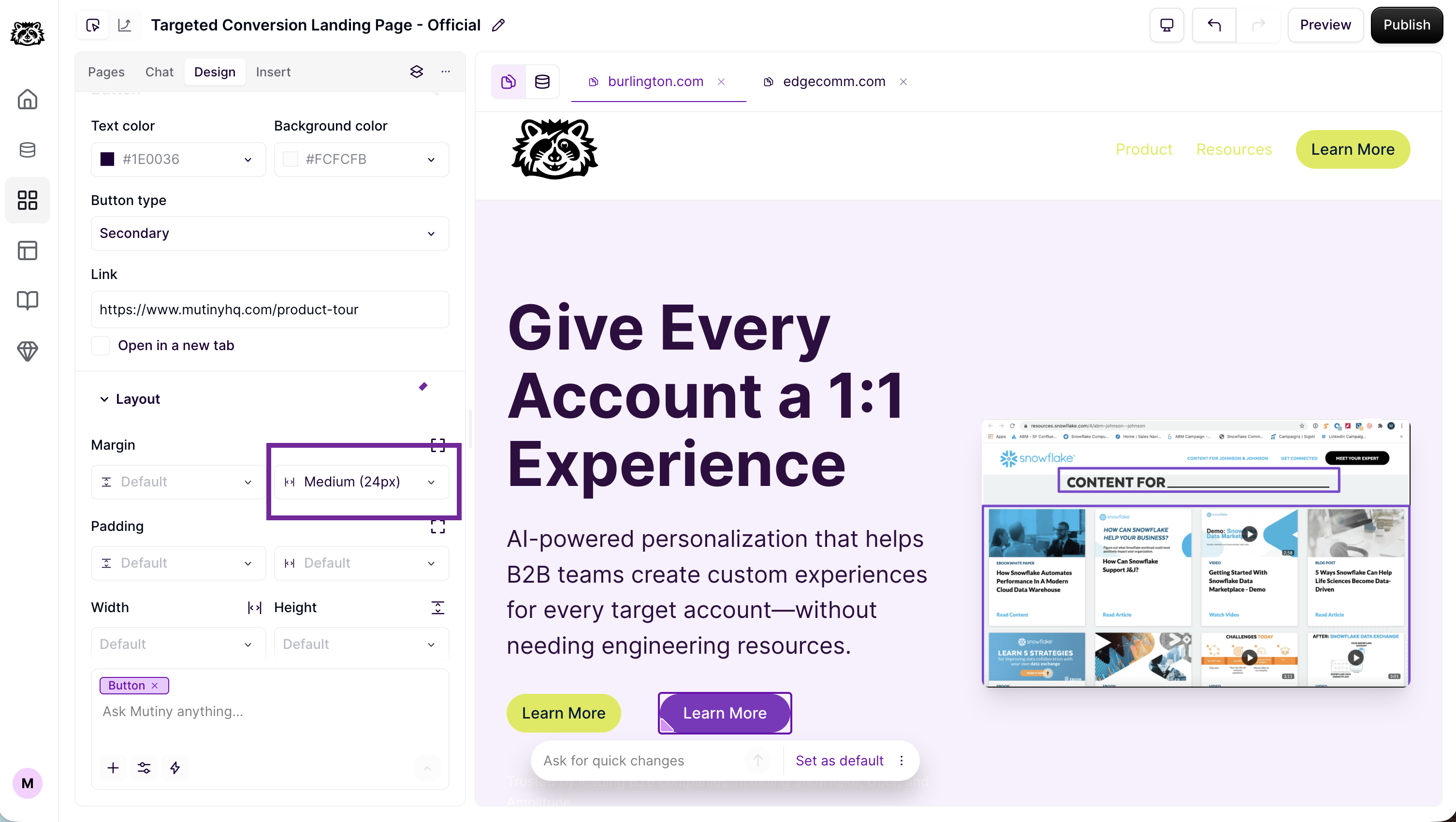
There are a plethora of properties that can be adjusted to get your page design just right.
Need Help?
If you have questions or need help, the Mutiny Support team is here for you! You can submit a support ticket using the Submit a ticket button at the top of this page, or reach us at support@mutinyhq.com.