Asset Editor Data Tab
Last updated: April 6, 2026
This is an enterprise-only feature. Interested in upgrading to an enterprise plan? Email the team at mutinylovesyou@mutinyhq.com to get plan upgrade information.
The Data Tab is a powerful feature within the asset editor that provides direct access to all your asset's data and personalization options. This option will only appear when a list is connected to the asset.
Think of it as a streamlined version of Account Studio that's accessible while you're actively designing your asset. With the Data Tab, you can:
View all target accounts in your asset
Access existing account information and AI research
Create new AI research without leaving the editor
Edit or refresh previous research data
Seamlessly incorporate personalization elements into your landing pages
The Data Tab is designed to keep you in your creative zone while providing all the personalization data you need at your fingertips, making your asset creation process faster and more efficient than ever before.
Access the data tab
To access your account information, click the Data Tab icon at the top of the Creative Agent editor. Once in the data tab, you'll see all accounts from your selected asset list along with their key information at a glance.
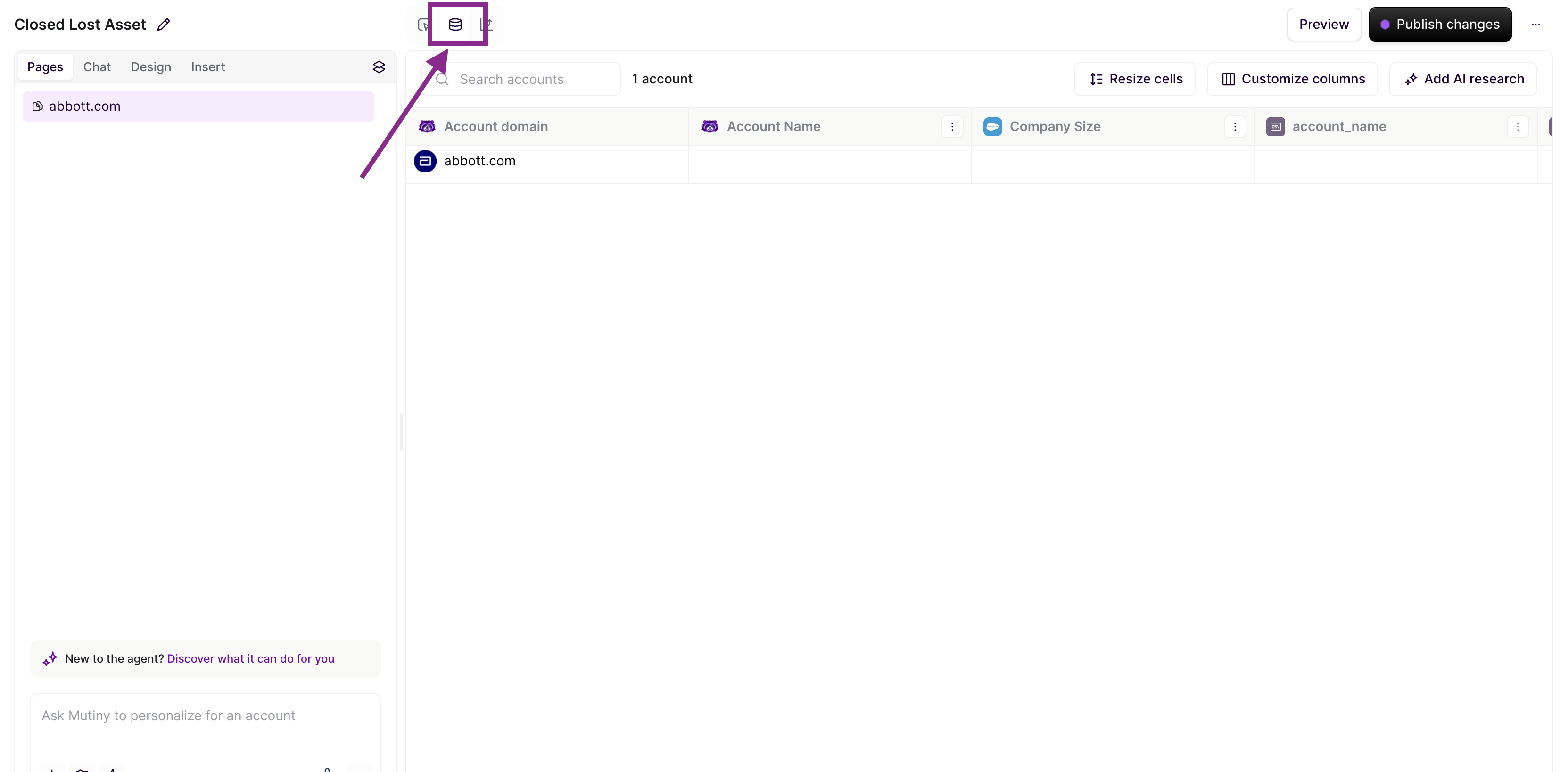
Browse through existing account details and AI research, all conveniently organized by account for easy reference. This comprehensive view provides the perfect foundation for building your personalization strategy, allowing you to quickly identify and leverage relevant insights for each target account.
Create new AI research
One of the most powerful features of the Data Tab is the ability to generate fresh AI research directly in the editor. To do this, click Add AI Research in the top right:
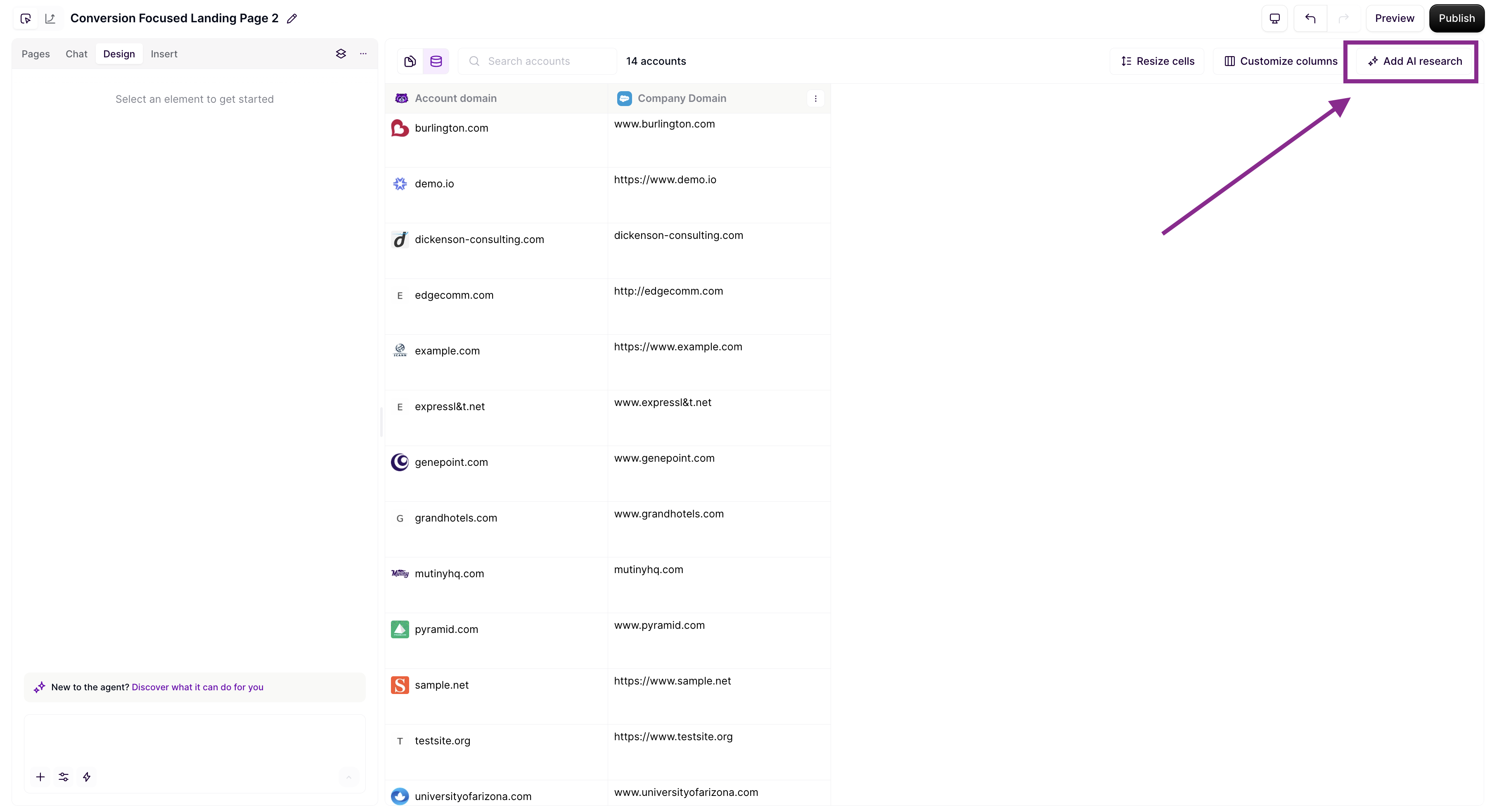
This will enable you to create a new column of AI Research while staying in your creative workflow. This research will then be available for you to use when making edits to your pages.
Edit and refresh existing research
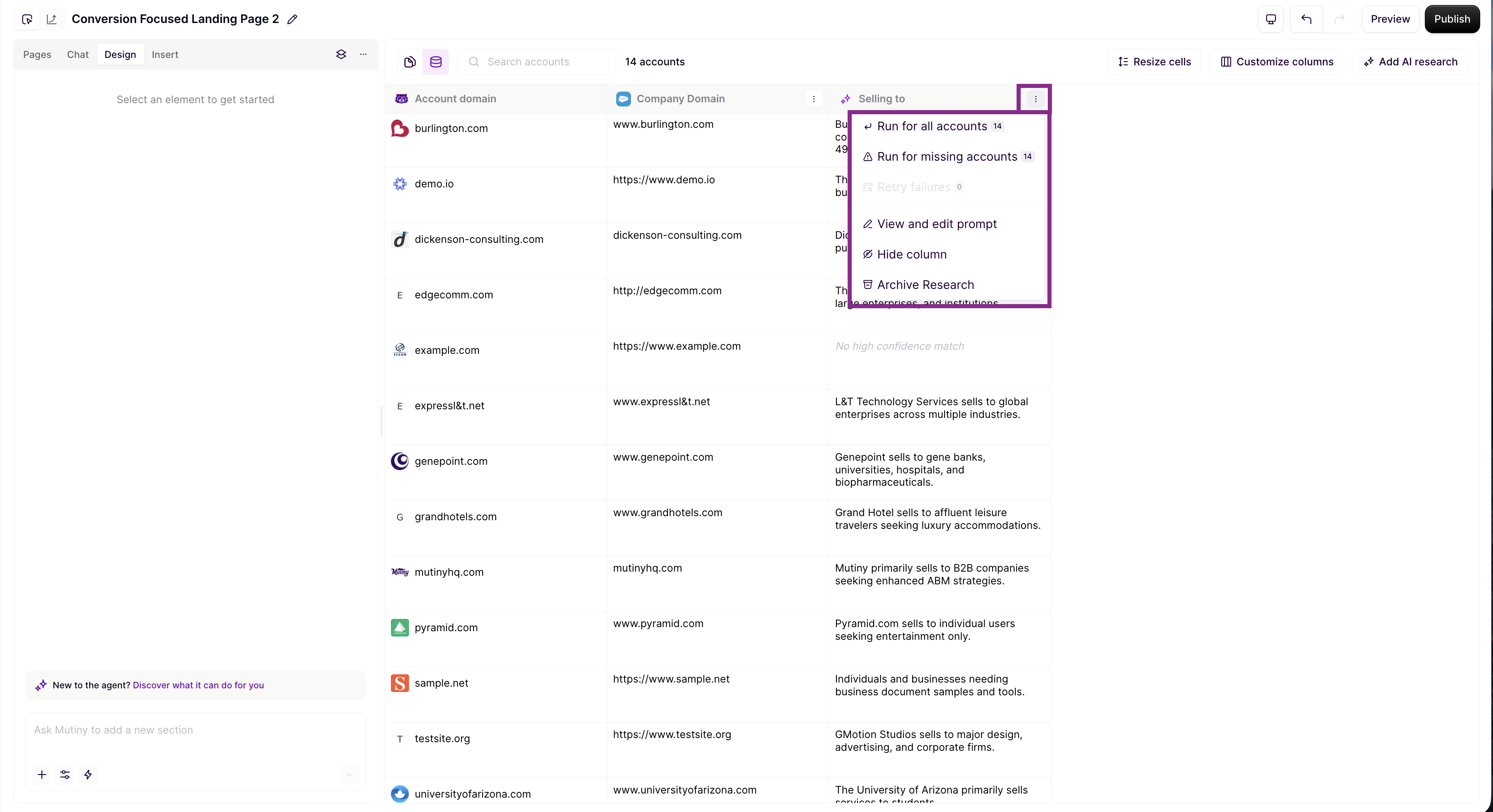
You can also edit and refresh the AI Research from the data tab. To do this, click the ellipse menu where you will have the option to re-run research or adjust the name and prompt of the research:
Need Help?
If you have questions or need help, the Mutiny Support team is here for you! You can submit a support ticket using the Submit a ticket button at the top of this page, or reach us at support@mutinyhq.com.