Account Studio Overview
Last updated: April 6, 2026
This is an enterprise-only feature. Interested in upgrading to an enterprise plan? Email the team at mutinylovesyou@mutinyhq.com to get plan upgrade information.
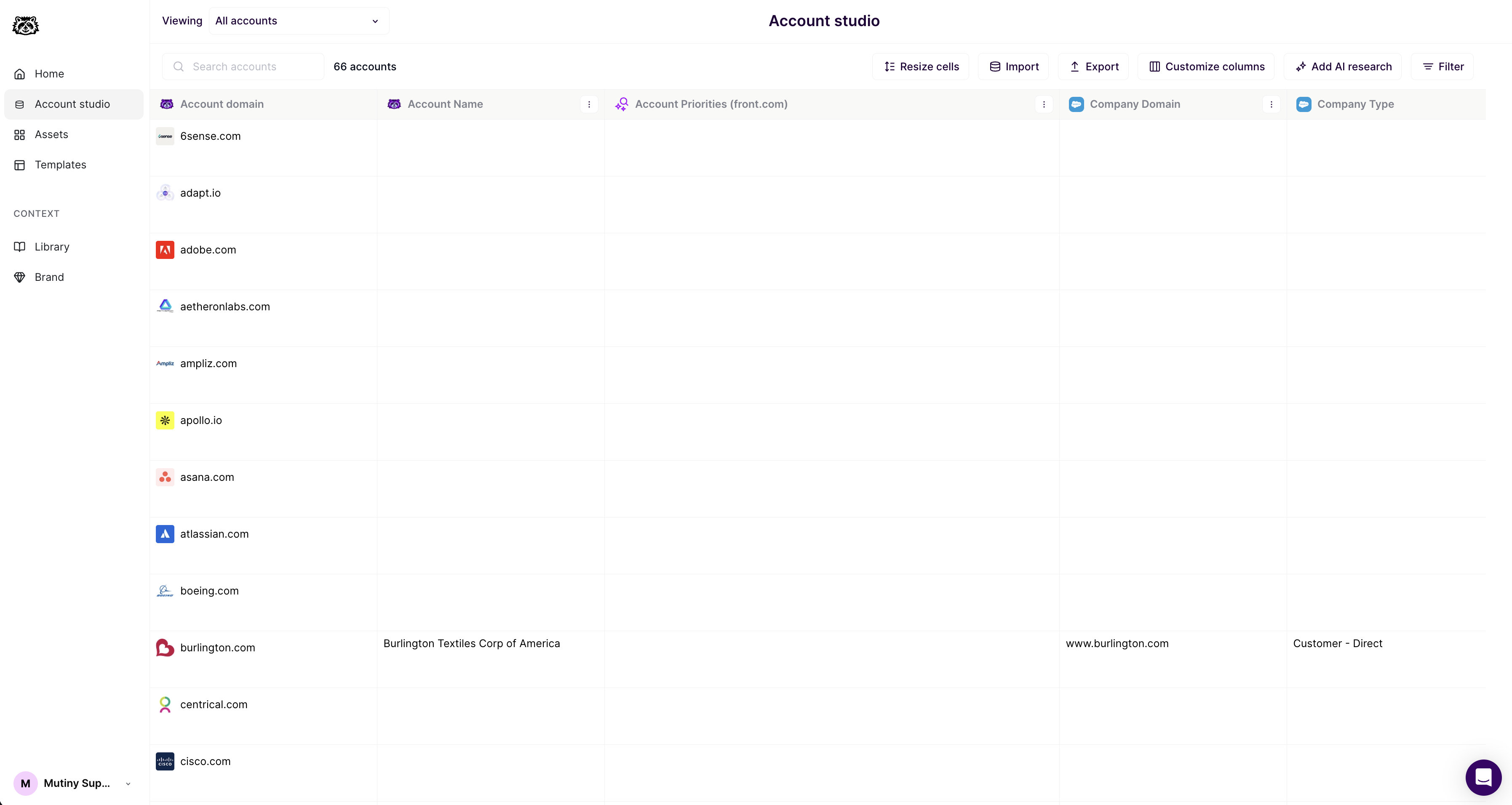
Account Studio is the central hub for managing your account data and creating targeted lists for your assets. It serves as the "central nervous system" of your Mutiny account, allowing you to filter accounts, enrich data with AI research, and create precise audience segments for personalization.
What is Account Studio?
Account Studio allows you to:
Create and manage account lists with advanced filtering
Enrich account data with AI-generated insights
Upload and manage CSV data
Organize and reuse lists across multiple assets
Export lists
Accessing Account Studio
Account Studio is available in the left navigation menu of your Mutiny dashboard. Simply click on Account Studio to access all list management and data enrichment features.
Key Features at a Glance
Advanced Filtering System
Support for both AND and OR conditions
Condition groups for complex logic
Real-time list updates as you add filters
More filter operators (exists, contains, date ranges, etc.)
AI Research Integration
Generate custom data points using AI
View rationale and sources for AI decisions
Run research on missing accounts
Time-based and custom prompts
Improved Data Management
Better CSV upload experience
Data source conflict resolution
Column renaming and organization
Integration with multiple data sources
Seamless Asset Integration
Auto-save lists when creating assets
Reuse lists across multiple assets
Real-time account counting
Supported Data Sources
Account Studio works with data from multiple sources:
CRM Systems: Salesforce, HubSpot - CRM Integration guide
CSV Uploads: Manual data imports - Creating and Managing Lists in Account Studio
AI Research: Generated insights
Getting Started
To begin using Account Studio:
Navigate to Account Studio from the left menu
Explore existing lists or create a new one
Add filters to define your target audience
Enrich with AI research if additional data is needed
Save your list for future use
Next Steps
📄 Creating and Managing Lists in Account Studio- Learn the filtering system
📄 AI Research and Data Enrichment in Account Studio- Add custom insights
📄 Account Studio Deep Dive- Take a deep dive into Account Studio
Need help?
If you have questions or need help, the Mutiny Support team is here for you! You can submit a support ticket using the Submit a ticket button at the top of this page, or reach us at support@mutinyhq.com.