How to track credit usage
Last updated: July 30, 2026
Credit usage in Mutiny gives you a bird's-eye view of how many credits you have left and what your usage looks like for your current plan. It helps you understand your credit spend and see where it's projected so you can decide if you need to increase credits.
Related reading on what a credit means in Mutiny:
Finding credit usage
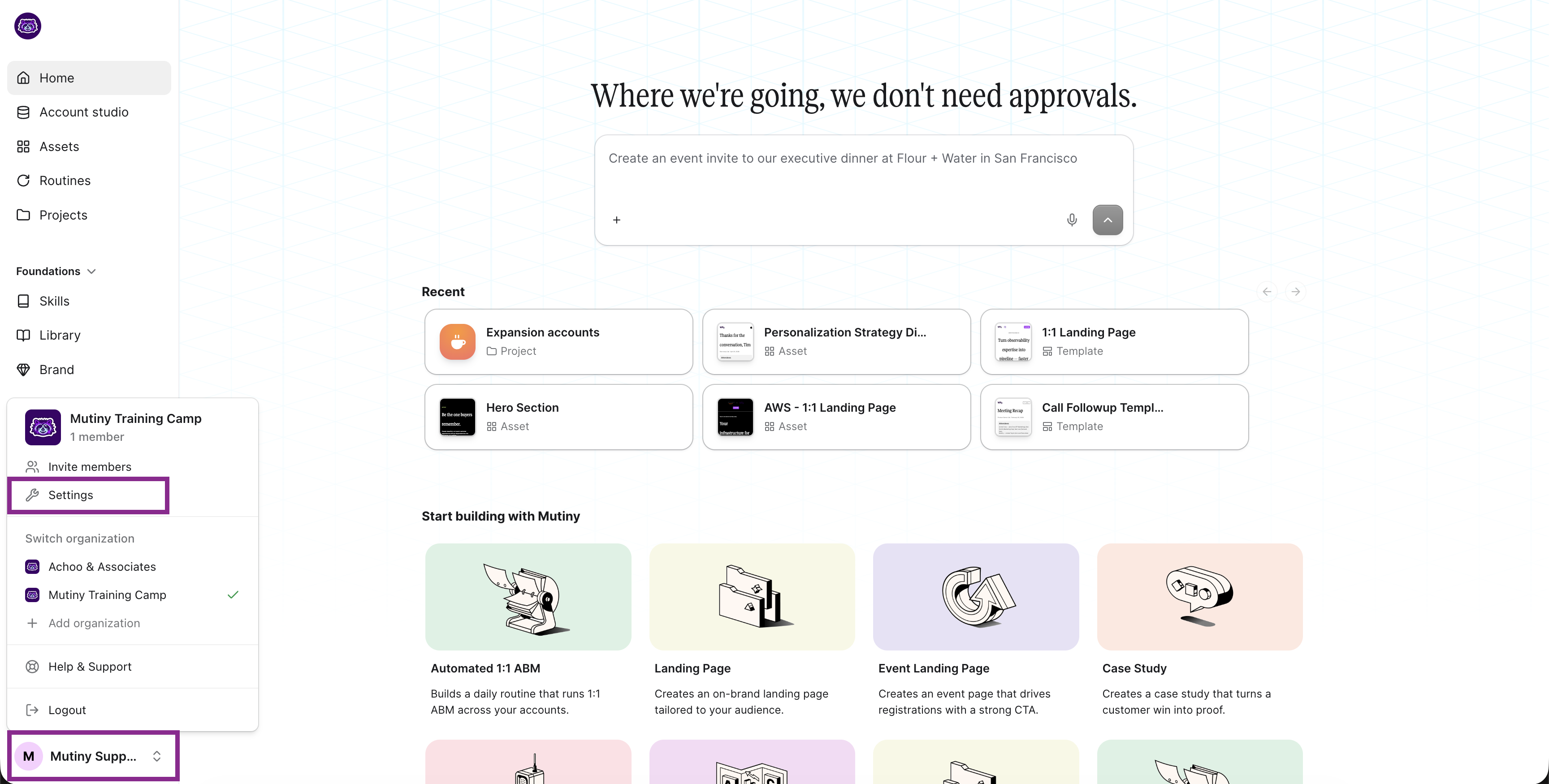
Click the menu in the bottom left, then click Settings. Select Credit usage in the settings modal.
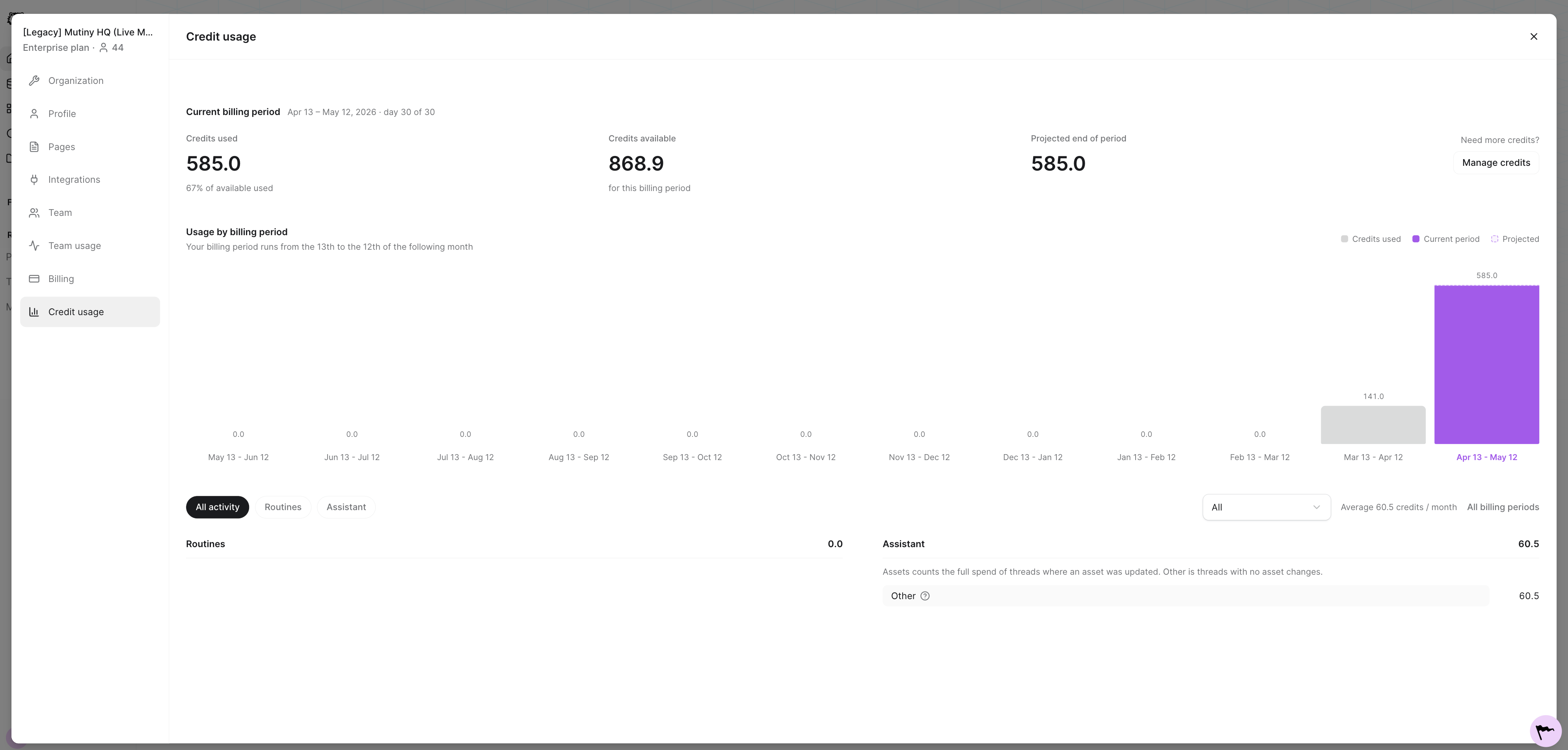
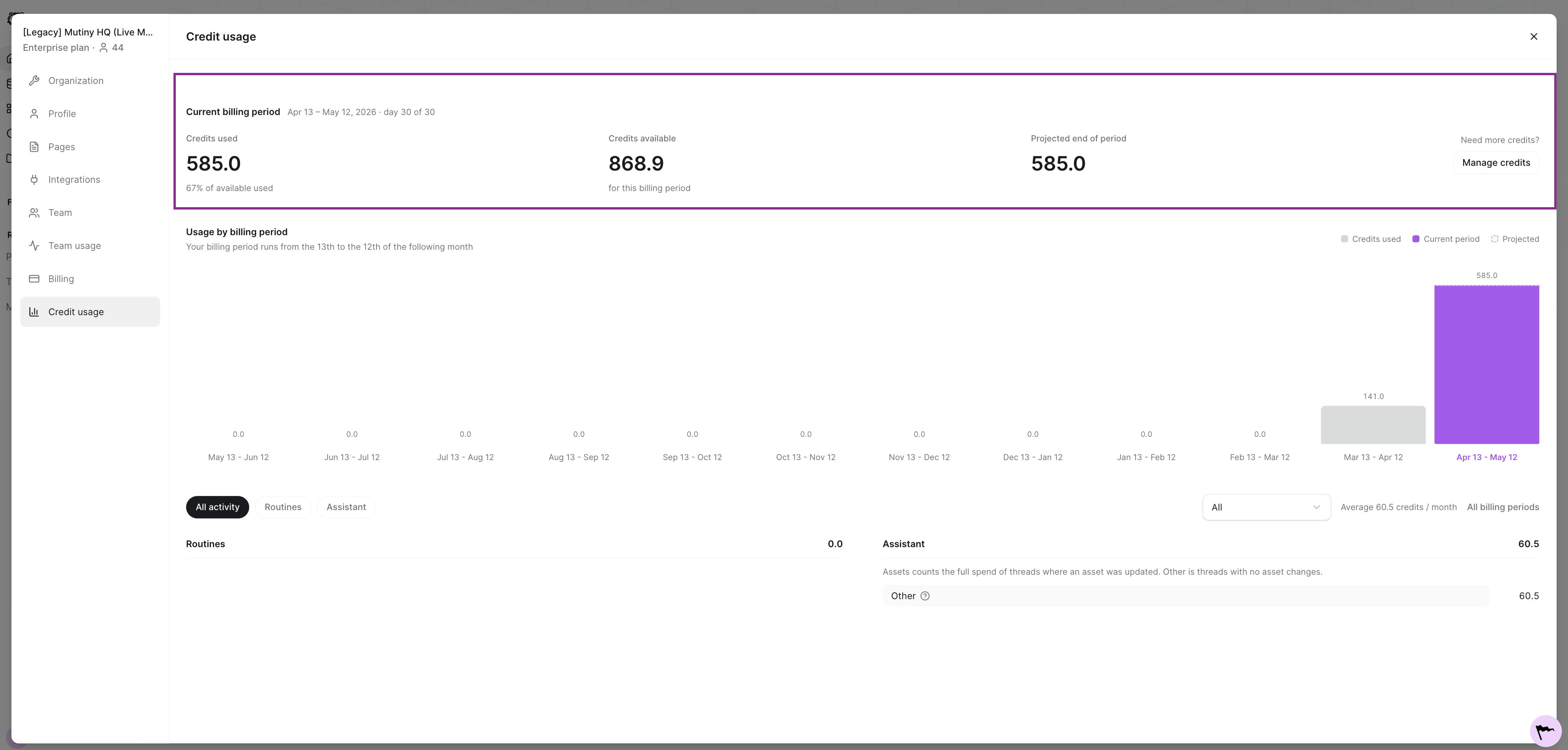
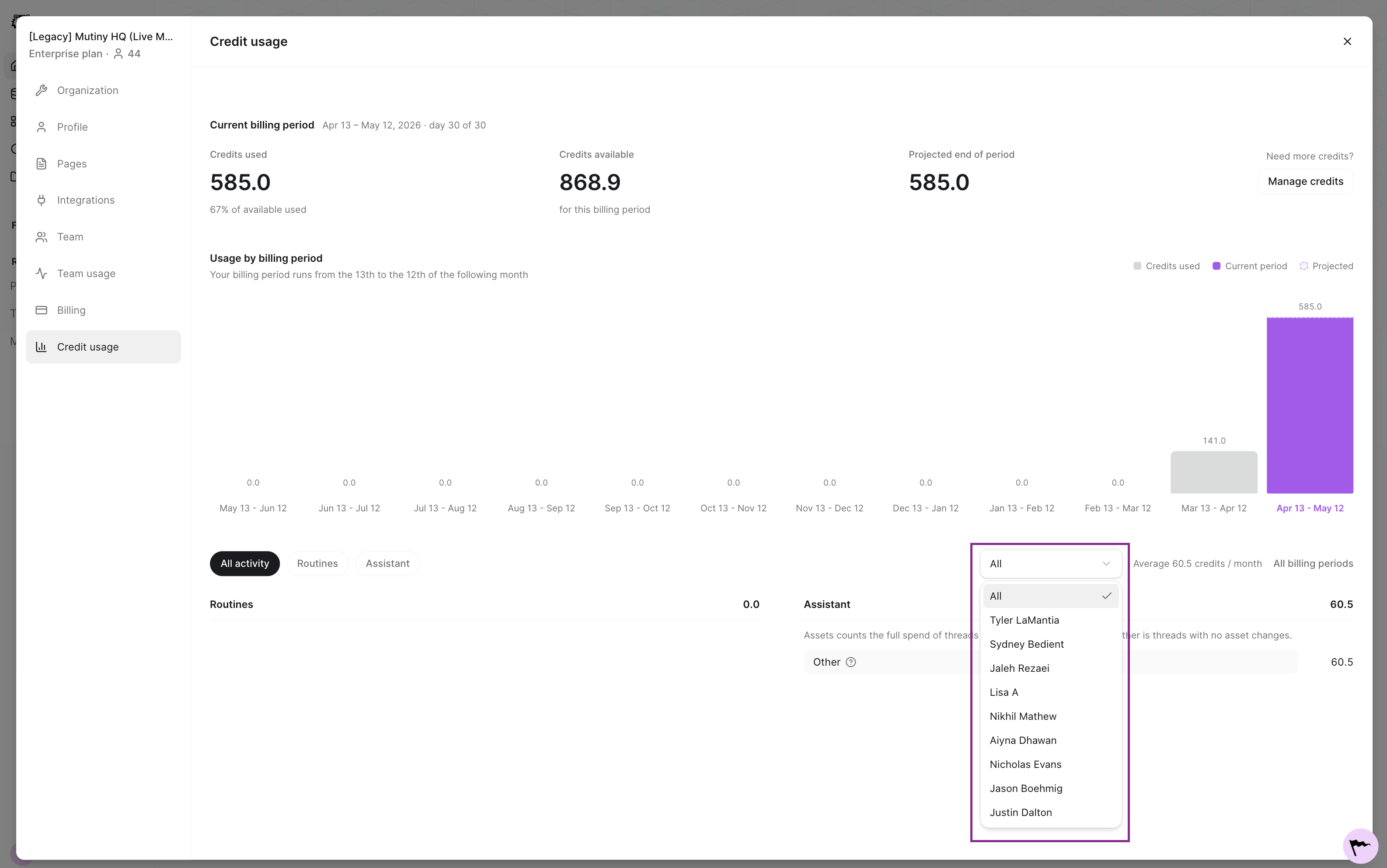
This gives you a bird's-eye view of everything in your current billing period: credits used, credits available, and your projected contract use at the end of the billing period.
Reviewing your credit chart
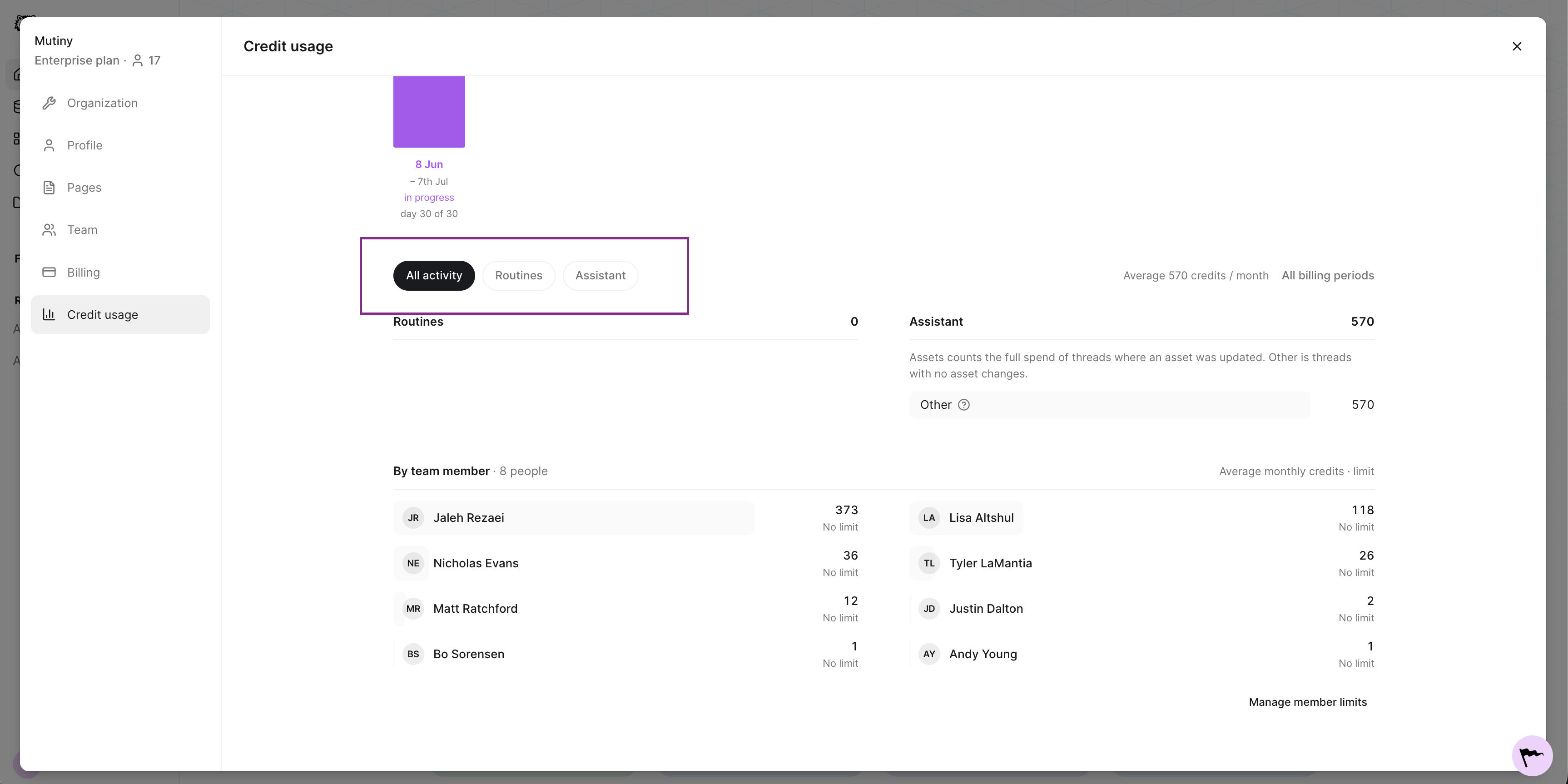
You'll see a chart showing the credits used each month. You can filter the chart by activity type:
All activity
Routines
Chatting with the assistant
Filtering by user
You can also filter by user. If you want to check on specific users and how many credits they're using, use the user dropdown.
Setting credit limits
To set credit limits for individual users, head over to your team settings. Use the three-dot menu next to the team member, then click Set credit limit.
You can also set bulk credit limits based on the roles users have. For example, if you want account executives to have a different credit limit than your SDRs, you can do so from the team page using Set bulk credit limits.
Need Help?
If you have questions or need help, the Mutiny Support team is here for you! You can submit a support ticket using the Submit a ticket button at the top of this page, or reach us at support@mutinyhq.com.