Mutiny Organization Discovery
Last updated: June 24, 2026
Organization Discovery shows you the Mutiny workspaces that already exist for your company when you sign up. Instead of creating a separate workspace, you can join your team's existing one in a few clicks. Mutiny matches you to these workspaces based on your email domain.
Joining an existing organization
When you sign up and open your magic link, the Organization Discovery screen lists every workspace set up under your email domain. Click Join on the one you want, then continue through onboarding to select your role.
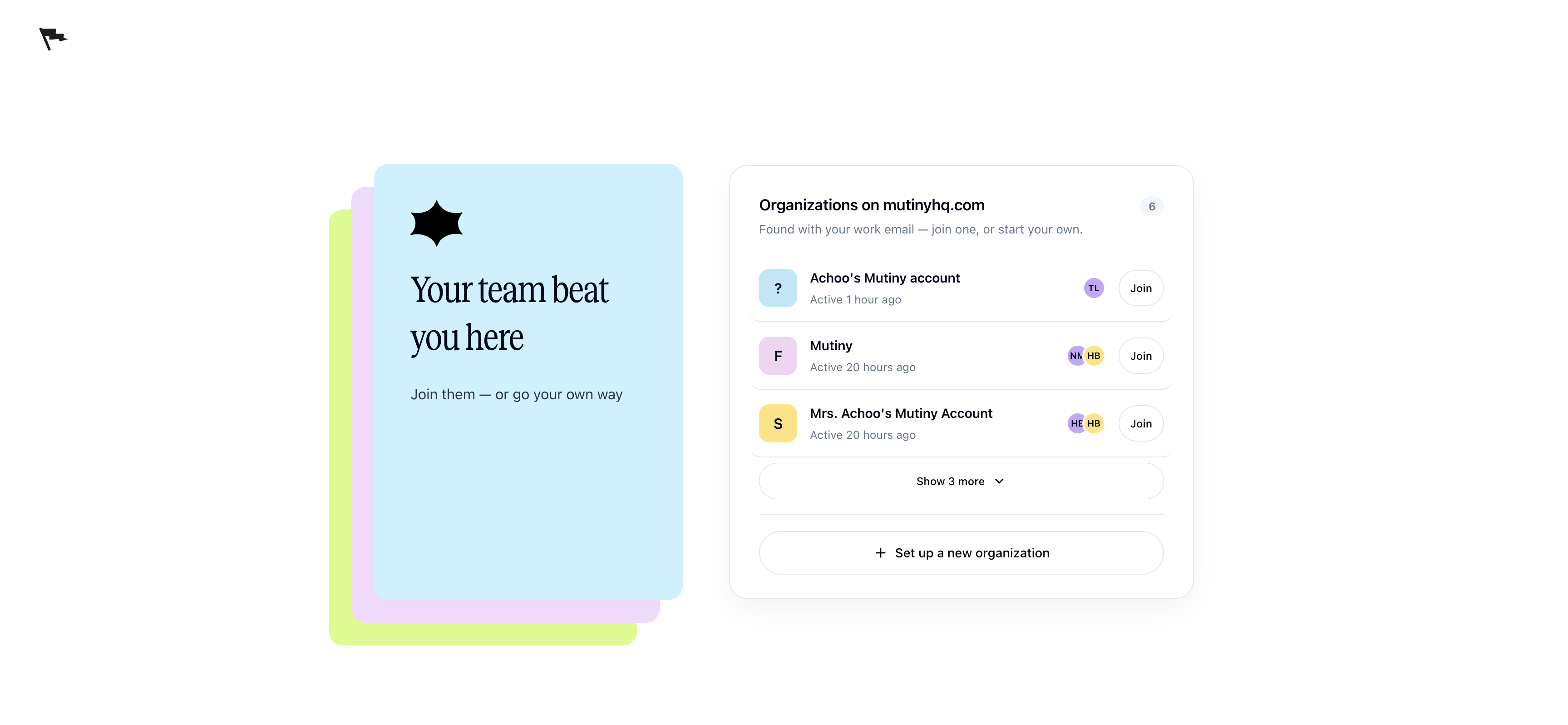
You join that organization as a user. If you need a higher level of access, ask an admin to upgrade your role after you join.
Setting up a new organization
If no workspaces exist for your email domain, Mutiny skips Organization Discovery and takes you straight to the setup screen for a new organization.
During setup, you'll see the option allow colleagues from my company to discover and join this workspace. Keep it checked so teammates who sign up with the same email domain can find your workspace on their own Organization Discovery screen.
If you leave it unchecked, your workspace stays hidden, and you can turn discovery on later from settings.
Managing Organization Discovery in settings
Open the Organization Discovery section in your organization settings to see whether discovery is enabled and which domains are connected. Your workspace's email domain is already listed here.
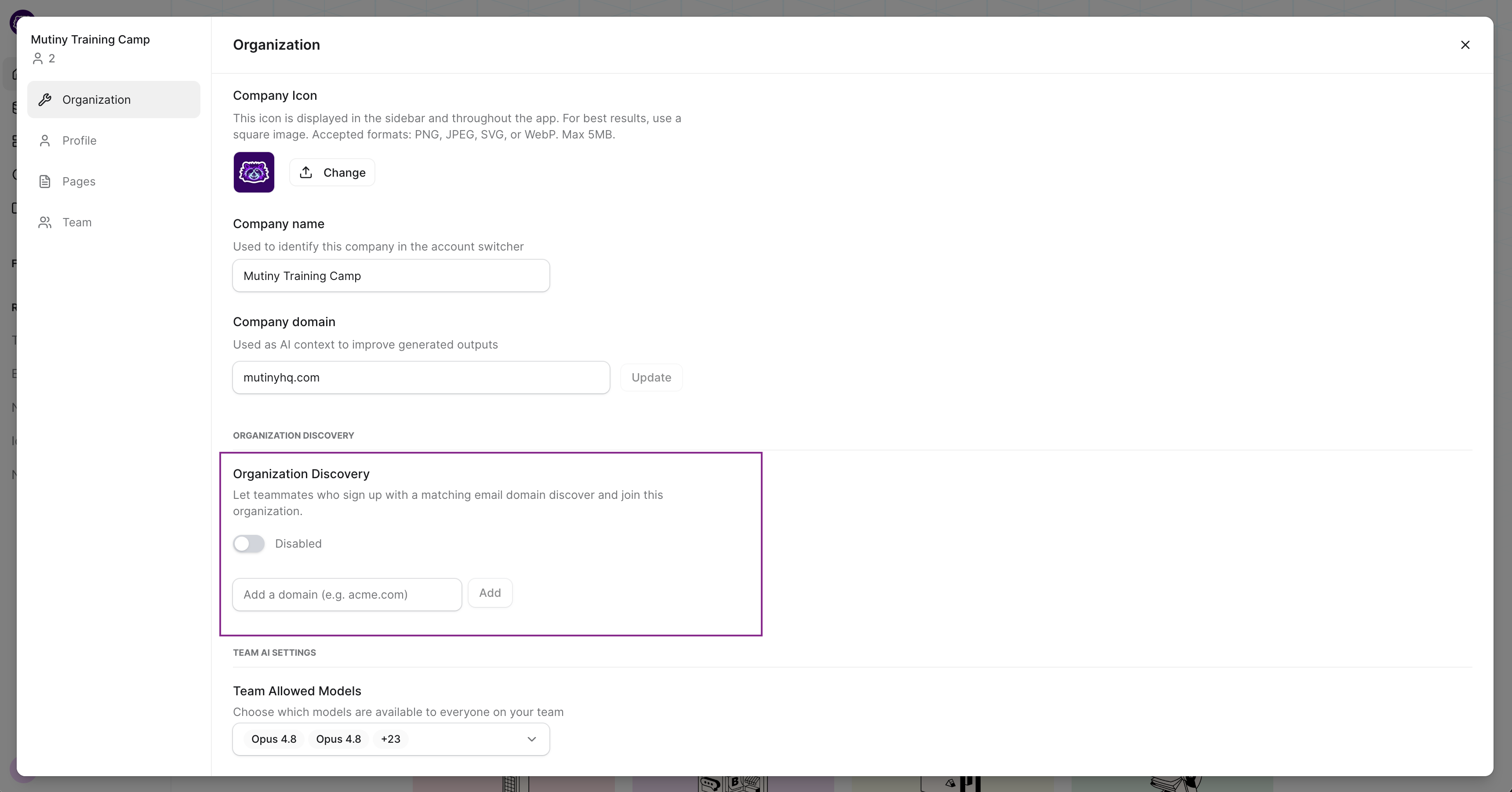
If discovery is off, click to enable it so teammates on your domain can find and join your workspace.
Adding domains
You can connect more email domains in the Organization Discovery section. Anyone who signs up with one of these domains will see your workspace on their Organization Discovery screen.
Public email domains
Public email domains like Gmail cannot be added to a workspace. If you sign up with a public email address, you won't see the Organization Discovery screen at all. Mutiny takes you straight to setting up your own organization.
Need Help?
If you have questions or need help, the Mutiny Support team is here for you! You can submit a support ticket using the Submit a ticket button at the top of this page, or reach us at support@mutinyhq.com.