Library Content Versioning
Last updated: August 19, 2026
Mutiny lets you update a Library resource without changing every asset that links to it. When you upload a new version of a resource, every existing link to that resource serves the new file.
Versioning is best for content that gets refreshed on a regular cycle and is reused across many assets, such as:
Pricing proposals that change each quarter
Security or compliance overviews
Product one-pagers that follow a release cadence
Other documents that need recurring updates
Only users with the Content Manager, Admin, or Owner role can update resources in the Library.
Viewing and updating a library resource
To get started, head to the Library in Mutiny.
Select the resource you want to update, and click the Versions button at the top of the modal
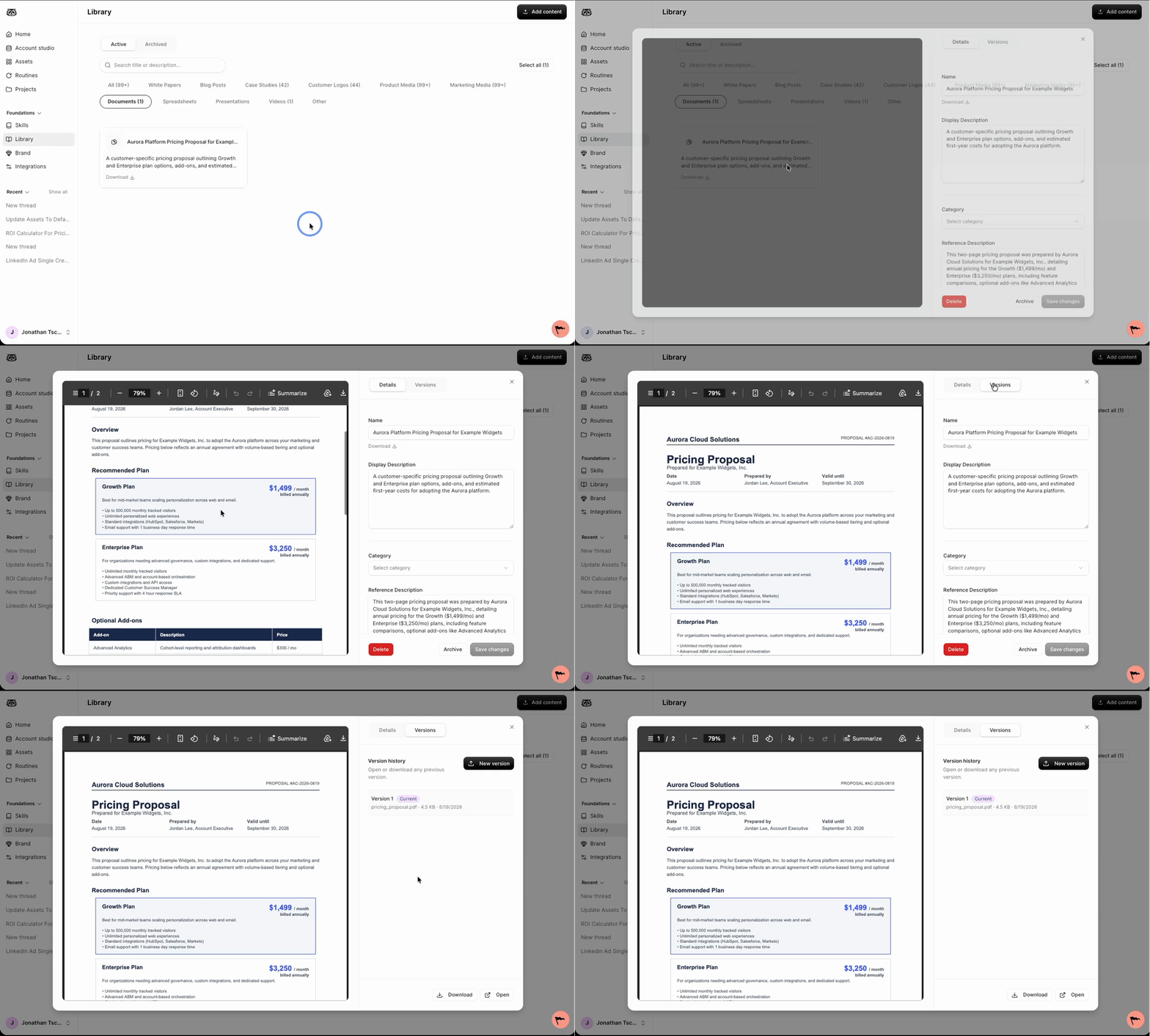
From here, you can see the different versions of this resource. Use this view to confirm what has already been uploaded before you add a new file.
Uploading a new version
Click New version. Upload the updated file for this resource.
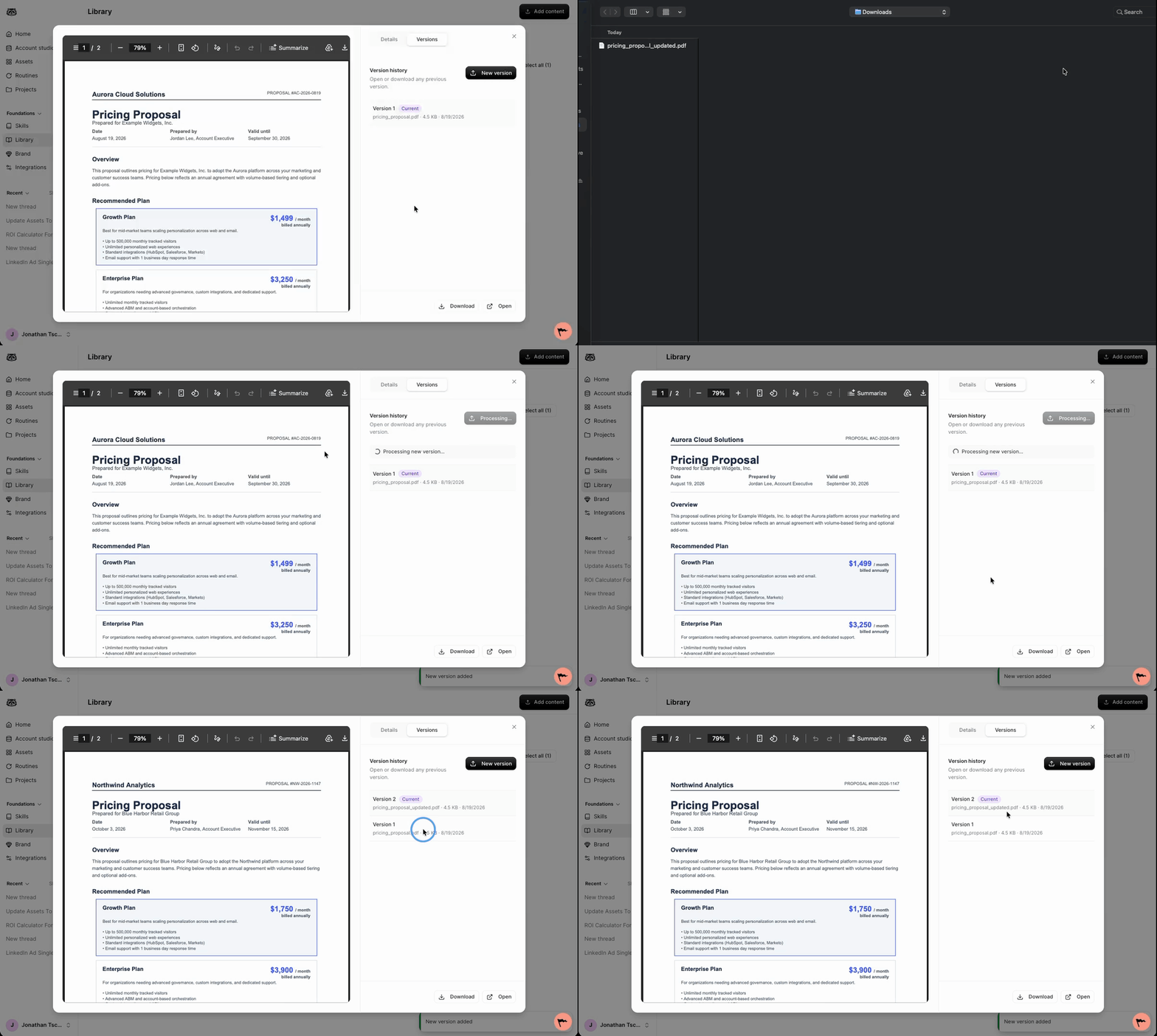
After the upload finishes, Mutiny uses the new file anywhere this resource is accessed from your assets. The resource link does not change, so existing asset links continue to work and show the latest version.
Need Help?
If you have questions or need help, the Mutiny Support team is here for you! You can submit a support ticket using the Submit a ticket button at the top of this page, or reach us at support@mutinyhq.com.