Conduct Account Research with Mutiny
Last updated: June 25, 2026
The Mutiny agent functions as both a creative and strategic partner, capable of conducting account research to help inform your personalization strategy.
You can ask it to gather intelligence about specific accounts, such as their technology stack or tools they use. If you have your CRM connected, you can also ask the agent to pull in details about accounts from your CRM. More about integrations here:
Looking Up Account Details
To get started, create a new thread from the Home page using the prompt box.
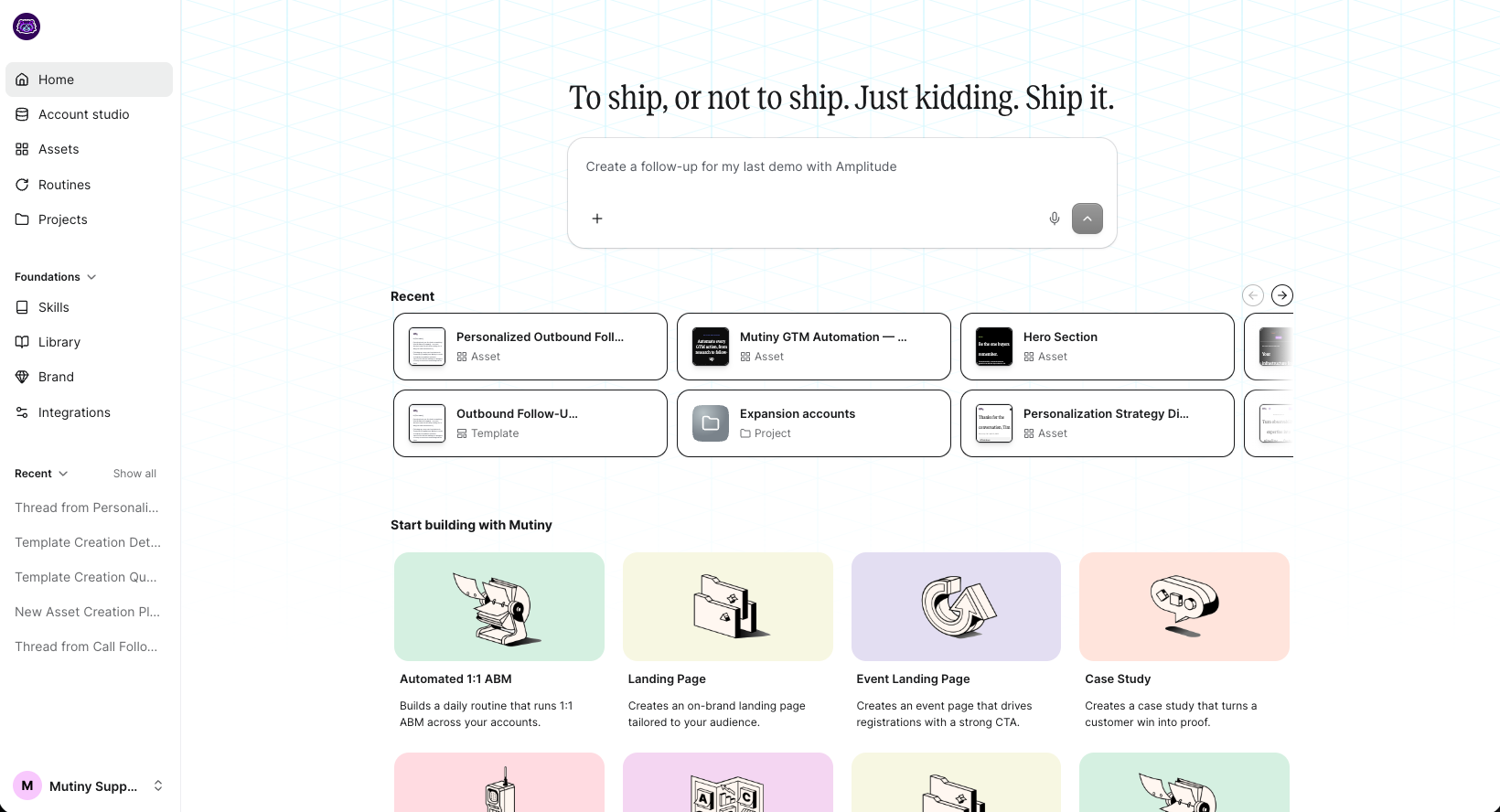
You can have the agent conduct web research on accounts or pull details from your CRM, if connected. Example prompts may look like:
How many employees does Airtable have?
What industry is Snowflake in?
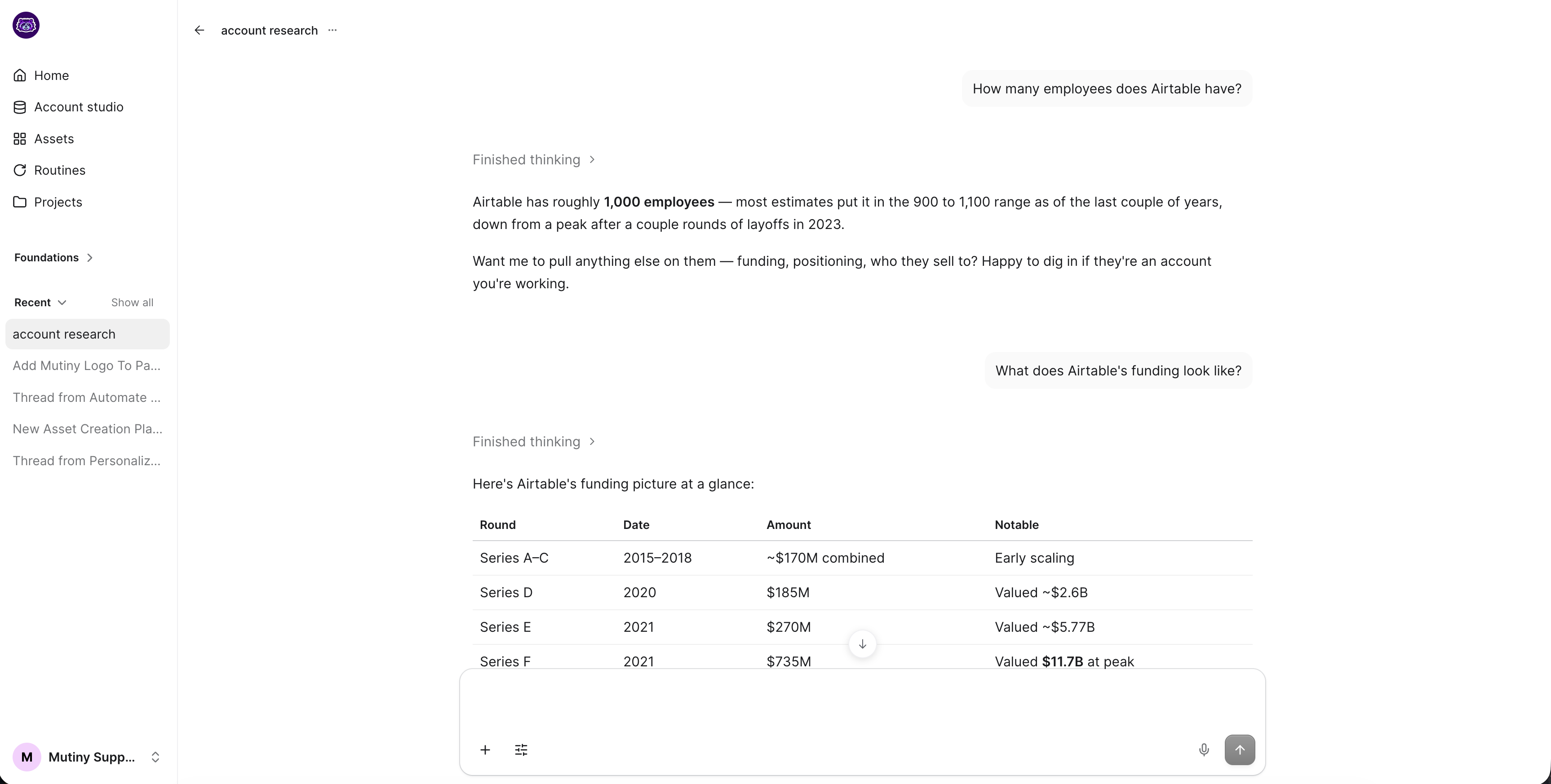
The agent searches publicly available sources and returns an answer alongside the sources it referenced so you can verify the information if needed. This works for a wide range of account details, including company size, industry, headquarters, and tech stack.
Finding Recent News and Launches
The agent can also surface recent news, which is useful when you want your outreach to feel timely and relevant. Try prompts like:
What are the most recent product launches from Airtable?
Has Snowflake made any major announcements in the last quarter?
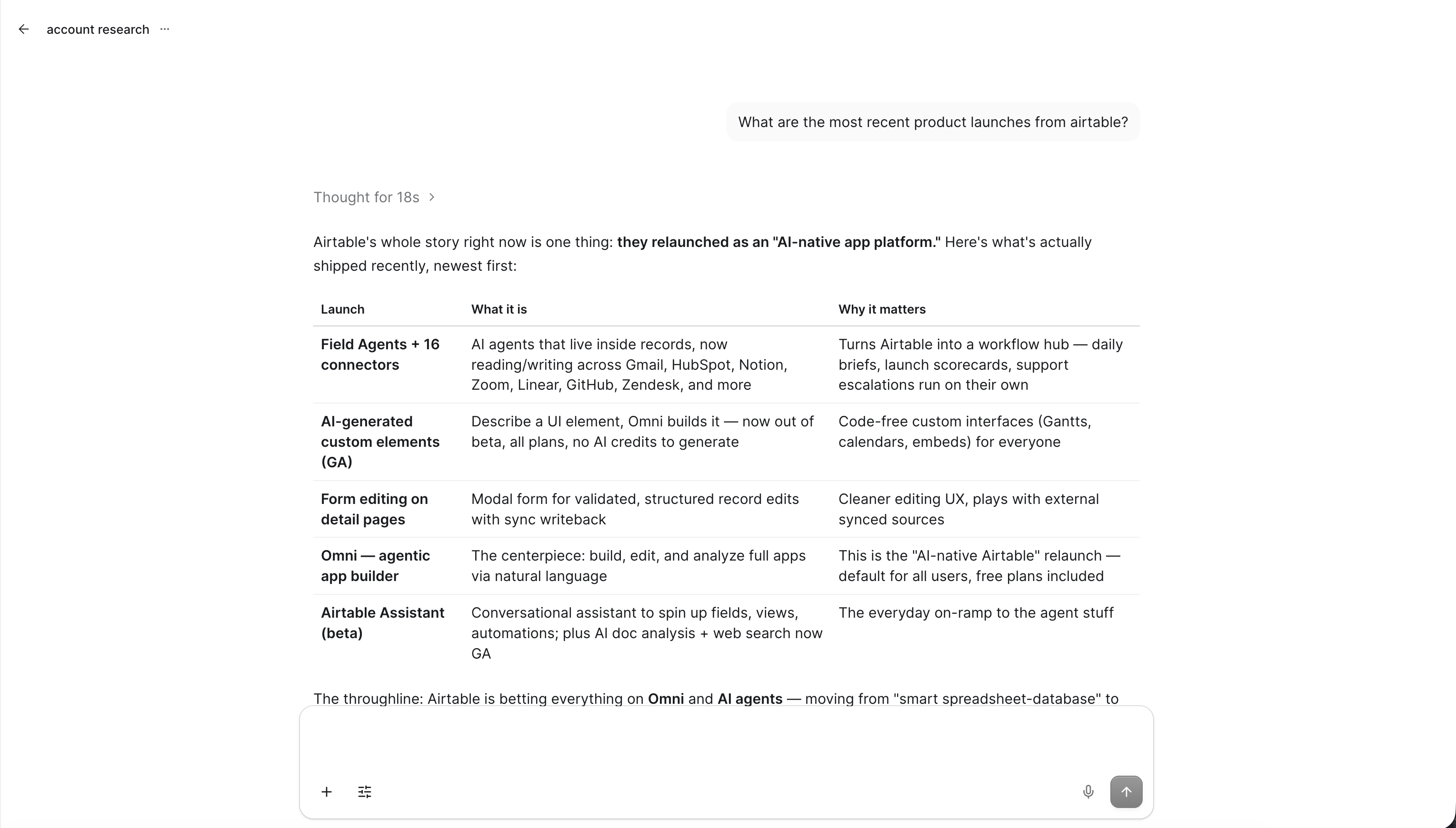
The agent compiles information from company websites, press releases, and other public sources and returns a summary with supporting details. If a company just launched a new product or closed a funding round, referencing that in your asset signals that you have done your homework.
Using Insights
Once you have gathered insights, you can act on them immediately. Ask the agent to create an asset based on what it just found, or use the details in a follow-up prompt to personalize copy for that specific account.
You can also create an account research skill that the agent can use to conduct research going forward. 📄 Skills Overview
Automating Account Research
You can also use Routines to set up recurring research for accounts. You can set up a routine to run weekly to keep your account research up-to-date and automatically update any assets created from that research.
Learn more about Routines here: 📄 Routines Overview
Need Help?
If you have questions or need help, the Mutiny Support team is here for you! You can submit a support ticket using the Submit a ticket button at the top of this page, or reach us at support@mutinyhq.com.